

Settlement and withdrawals, explained
When your paid QRIS and USDT transactions become available, how to withdraw them to a bank account or a BEP20 wallet, and how each withdrawal is tracked.
Diterbitkan 03 Oktober 2026 Dikemas kini 15 Oktober 2026 2 min bacaan
Artikel ini belum tersedia dalam Bahasa Melayu. Ia dipaparkan dalam English.

Getting paid is only half of the story: you also want the money in your own account. This article explains when paid transactions become available, and how withdrawals work.
From paid to available
Every paid transaction shows three amounts in your dashboard: the gross amount your customer paid, the PAYWISE fee, and the net amount that is yours.
- QRIS payments settle in batches a few times a day (Western Indonesia Time):
| Paid between | Settled at |
|---|---|
| 19:00 – 06:59 | 10:30 |
| 07:00 – 10:59 | 14:30 |
| 11:00 – 14:59 | 18:30 |
| 15:00 – 18:59 | 22:30 |
- USDT payments settle as soon as they are paid.
Your Finance Center shows what is available now, what is waiting for the next batch, and when that batch runs. You receive a notification when a batch makes new funds available.
Making a withdrawal
Open Withdrawals in your dashboard and choose what to withdraw:
- QRIS funds are paid out in IDR to an Indonesian bank account. The account holder's name is checked before you confirm.
- USDT funds are sent to your BEP20 wallet address.
The amount you enter is the amount that arrives. The withdrawal fee is added on top and taken from your available funds, so there are no surprises on the receiving side. The minimum, maximum and fee for each method are shown on the withdrawal form. Withdrawals are confirmed with a code, for your security.
Following a withdrawal
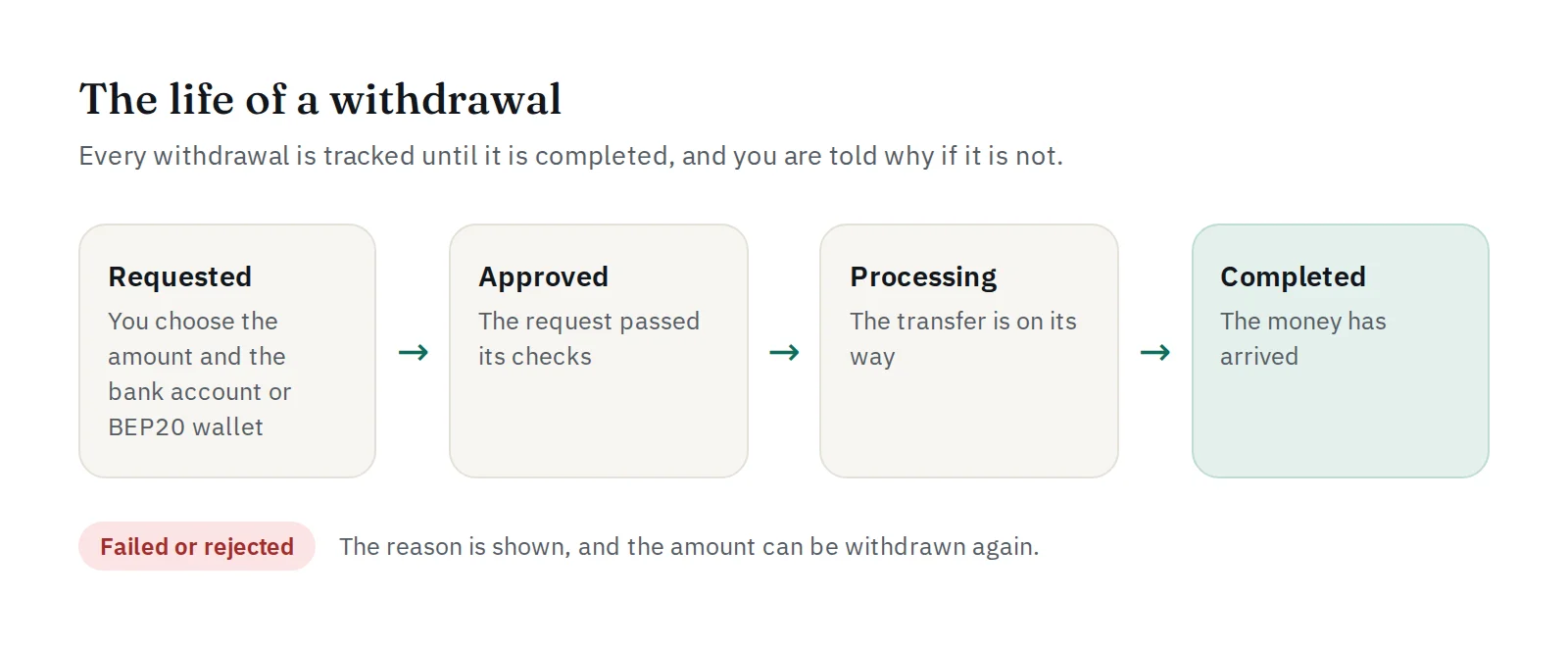
Each withdrawal moves from requested to approved, processing and completed. If something goes wrong it ends as failed or rejected, the reason is shown, and the amount can be withdrawn again. You get a notification at every important step, and developers can also receive the withdrawal.completed, withdrawal.failed and withdrawal.rejected webhooks.
Withdrawing through the API
Platforms that pay out automatically can use POST /api/v1/withdrawals with an Idempotency-Key header, so a request that timed out can be retried safely. See the withdrawals section of the API documentation.


