

验证 PAYWISE Webhook 签名
每个 Webhook 都使用 HMAC-SHA256 签名。本文介绍如何在 PHP 和 Node.js 中验证签名,以及如何安全处理重试。
发布于 03 十月 2026 阅读约 2 分钟

当付款成功、失败或过期时,PAYWISE 会向您的服务器发送 Webhook。由于 Webhook 地址是公开的,任何人都可能向它发送伪造的"已付款"消息。因此每个 PAYWISE Webhook 都带有签名,您的服务器应在处理前先验证签名。
签名原理
每次推送都是一个带 JSON 请求体和 X-PAYWISE-Signature 请求头的 POST 请求。该请求头是以您的 Webhook 密钥为键、对原始请求体计算的 HMAC-SHA256(十六进制编码)。密钥可在控制台的 Webhook 页面查看。
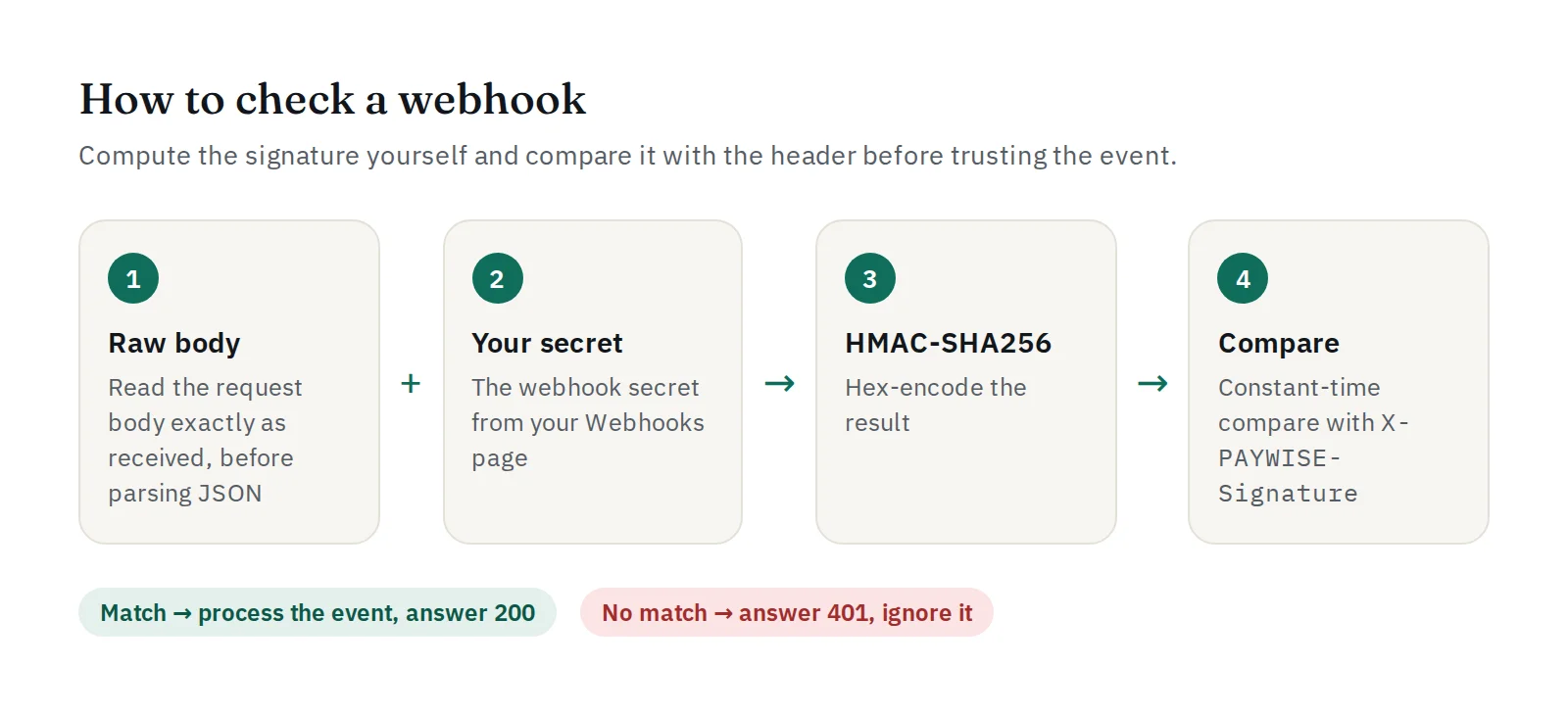
有两点需要注意:
- 使用收到的原始请求体。如果先解析 JSON 再重新编码,空格或键的顺序可能改变,签名就会不匹配。
- 使用恒定时间比较函数(PHP 中为
hash_equals,Node.js 中为crypto.timingSafeEqual)。
PHP
$payload = file_get_contents('php://input');
$expected = hash_hmac('sha256', $payload, getenv('PAYWISE_WEBHOOK_SECRET'));
$received = $_SERVER['HTTP_X_PAYWISE_SIGNATURE'] ?? '';

if (! hash_equals($expected, $received)) {
    http_response_code(401);
    exit;
}

$event = json_decode($payload, true);
if ($event['event'] === 'payment.paid') {
    // 将 $event['data']['merchant_reference'] 标记为已付款(只处理一次)。
}
http_response_code(200);
Node.js(Express)
app.post('/webhooks/paywise', express.raw({ type: 'application/json' }), (req, res) => {
  const expected = crypto.createHmac('sha256', process.env.PAYWISE_WEBHOOK_SECRET)
    .update(req.body).digest('hex');
  const received = req.get('X-PAYWISE-Signature') || '';
  const ok = received.length === expected.length &&
    crypto.timingSafeEqual(Buffer.from(expected), Buffer.from(received));
  if (!ok) return res.sendStatus(401);

  const event = JSON.parse(req.body);
  // 处理 event.event:payment.paid、payment.failed、payment.expired
  res.sendStatus(200);
});
PHP 和 Node.js SDK 已内置现成的验证函数。
重试与重复推送
如果您的服务器没有返回 2xx 状态码,PAYWISE 会自动重试。每次尝试及您服务器返回的状态都会列在 Webhook 页面上,您也可以在交易页面手动重发。这意味着同一个事件可能到达不止一次:请让处理逻辑具备幂等性,例如对已付款的订单忽略重复的 payment.paid。
可接收的事件
- 交易事件:
payment.paid、payment.failed、payment.expired; - 提现事件:
withdrawal.completed、withdrawal.failed、withdrawal.rejected。
请尽快返回 2xx 状态码,将耗时的操作(发送邮件、更新库存)放到后台处理。


