

Verifying PAYWISE webhook signatures
Every webhook is signed with HMAC-SHA256. Here is how to check the signature in PHP and Node.js, and how to handle retries safely.
Published 03 October 2026 2 min read

When a payment is paid, fails or expires, PAYWISE sends a webhook to your server. Because your webhook URL is public, anyone could send a fake "paid" message to it. That is why every PAYWISE webhook is signed, and why your server should check the signature before doing anything.
How the signature works
Each delivery is a POST with a JSON body and an X-PAYWISE-Signature header. The header is the hex-encoded HMAC-SHA256 of the raw request body, using your webhook secret as the key. You find the secret on the Webhooks page of your dashboard.
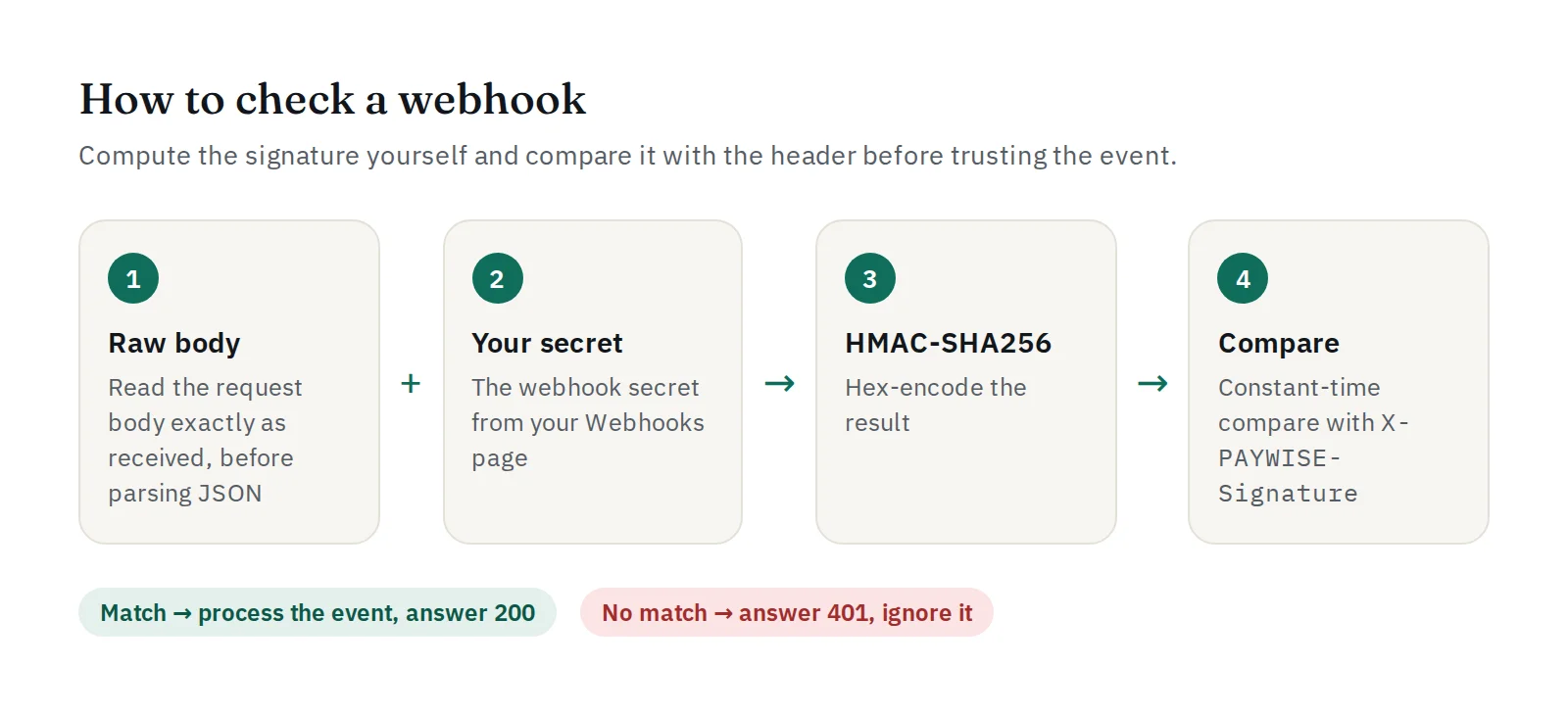
Two details matter:
- Use the raw body, exactly as received. If you parse the JSON and encode it again, spaces or key order can change and the signature will not match.
- Compare with a constant-time function (
hash_equalsin PHP,crypto.timingSafeEqualin Node.js).
PHP
$payload = file_get_contents('php://input');
$expected = hash_hmac('sha256', $payload, getenv('PAYWISE_WEBHOOK_SECRET'));
$received = $_SERVER['HTTP_X_PAYWISE_SIGNATURE'] ?? '';

if (! hash_equals($expected, $received)) {
    http_response_code(401);
    exit;
}

$event = json_decode($payload, true);
if ($event['event'] === 'payment.paid') {
    // Mark $event['data']['merchant_reference'] as paid (once).
}
http_response_code(200);
Node.js (Express)
app.post('/webhooks/paywise', express.raw({ type: 'application/json' }), (req, res) => {
  const expected = crypto.createHmac('sha256', process.env.PAYWISE_WEBHOOK_SECRET)
    .update(req.body).digest('hex');
  const received = req.get('X-PAYWISE-Signature') || '';
  const ok = received.length === expected.length &&
    crypto.timingSafeEqual(Buffer.from(expected), Buffer.from(received));
  if (!ok) return res.sendStatus(401);

  const event = JSON.parse(req.body);
  // handle event.event: payment.paid, payment.failed, payment.expired
  res.sendStatus(200);
});
The PHP and Node.js SDKs include a ready-made verify function.
Retries and duplicates
If your server does not answer with a 2xx status, PAYWISE retries the delivery automatically. Every attempt, with the status your server returned, is listed on your Webhooks page, and you can resend one from the transaction page. This means the same event can arrive more than once: make your handler idempotent, for example by ignoring a payment.paid for an order that is already paid.
Events you can receive
payment.paid,payment.failed,payment.expiredfor transactions,withdrawal.completed,withdrawal.failed,withdrawal.rejectedfor your withdrawals.
Answer quickly with a 2xx status and do slow work (emails, stock updates) in the background.


