

Integrate PAYWISE with Laravel and PHP in 15 minutes
A step-by-step Laravel integration with the PAYWISE PHP SDK: install, configure, create a payment, handle the signed webhook and test in the sandbox.
Published 11 October 2026 4 min read

This guide connects a Laravel shop to PAYWISE with the official PHP SDK: create a QRIS payment, send the customer to the payment page, and mark the order paid when the signed webhook arrives. Plain PHP works the same way; the differences are noted at the end.
You need: PHP 7.4 or newer with curl and json, a PAYWISE account, a sandbox API key (pw_test_…, under API Keys) and a website with the hosted payment page turned on (under Websites & webhook).
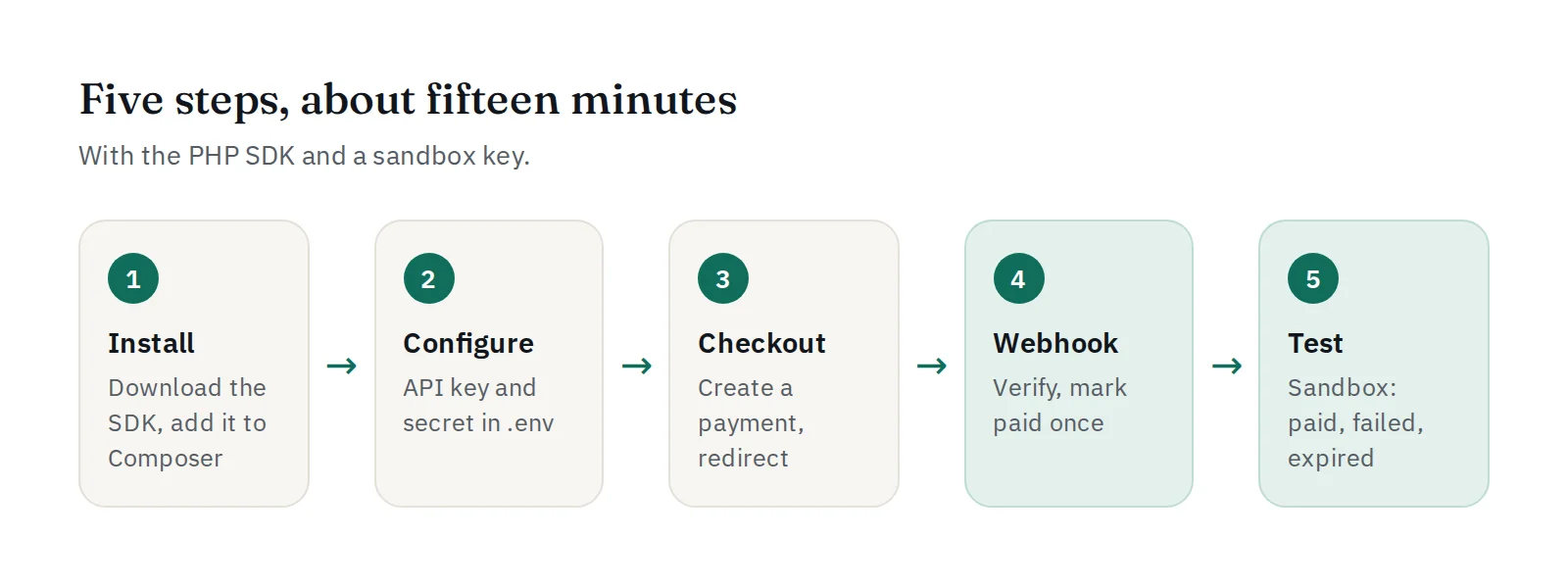
1. Install the SDK (2 minutes)
Download the PHP SDK from the developers page and unzip it into your project, for example as packages/paywise-php. Then tell Composer where it is, in composer.json:
"repositories": [
    { "type": "path", "url": "packages/paywise-php" }
]
and install it:
composer require "paywise/paywise-php:*@dev"
The SDK has no dependencies of its own.
2. Configure your keys (2 minutes)
In .env:
PAYWISE_KEY=pw_test_xxxxxxxxxxxxxxxx
PAYWISE_WEBHOOK_SECRET=your-webhook-secret
The webhook secret is on the Websites & webhook page. In config/services.php:
'paywise' => [
    'key' => env('PAYWISE_KEY'),
    'webhook_secret' => env('PAYWISE_WEBHOOK_SECRET'),
],
Add a column to remember the PAYWISE reference of each order:
$table->string('paywise_reference')->nullable()->index();
3. Create a payment (4 minutes)
use Paywise\Client;
use Paywise\PaywiseException;

class PaymentController extends Controller
{
    public function pay(Order $order)
    {
        $paywise = new Client(config('services.paywise.key'));

        try {
            $payment = $paywise->createTransaction([
                'merchant_reference' => 'ORDER-' . $order->id, // also the idempotency key
                'amount'             => $order->total,         // QRIS: whole rupiah
                'payment_method'     => 'QRIS',
                'customer_id'        => (string) $order->user_id,
            ]);
        } catch (PaywiseException $e) {
            report($e);

            return back()->with('error', 'The payment could not be started. Please try again.');
        }

        $order->update(['paywise_reference' => $payment['reference']]);

        return redirect()->away($payment['checkout_url']);
    }
}
If the request times out, it is safe to try again with the same merchant_reference: PAYWISE returns the original payment instead of creating a second one. $e->isRetryable() tells you when a retry makes sense.
4. Handle the webhook (5 minutes)
use Illuminate\Http\Request;
use Paywise\Webhook;

public function webhook(Request $request)
{
    try {
        $event = Webhook::parse(
            $request->getContent(),                          // the RAW body
            (string) $request->header('X-PAYWISE-Signature'),
            config('services.paywise.webhook_secret')
        );
    } catch (PaywiseException $e) {
        return response('Invalid signature', 400);
    }

    $reference = $event['data']['reference'];

    if ($event['event'] === 'payment.paid') {
        // Only an unpaid order changes, so a repeated delivery does nothing.
        Order::where('paywise_reference', $reference)->where('status', 'unpaid')
            ->update(['status' => 'paid', 'paid_at' => now()]);
    } elseif (in_array($event['event'], ['payment.expired', 'payment.failed'], true)) {
        Order::where('paywise_reference', $reference)->where('status', 'unpaid')
            ->update(['status' => 'payment_failed']);
    }

    return response('OK');
}
Routes, in routes/web.php:
Route::post('/orders/{order}/pay', [PaymentController::class, 'pay'])->name('orders.pay');
Route::post('/webhooks/paywise', [PaymentController::class, 'webhook']);
The webhook comes from PAYWISE, not from a browser, so it has no CSRF token. Exclude it in bootstrap/app.php (Laravel 11 and newer):
->withMiddleware(function (Middleware $middleware) {
    $middleware->validateCsrfTokens(except: ['webhooks/paywise']);
})
On Laravel 10, add 'webhooks/paywise' to $except in app/Http/Middleware/VerifyCsrfToken.php.
Finally, enter https://your-shop.com/webhooks/paywise as the webhook URL on the Websites & webhook page, choose the events, and press Send test.
5. Test in the sandbox (2 minutes)
Place an order in your shop. On the payment page, choose Paid under Simulate the result: your webhook receives payment.paid and the order turns paid. Try Failed and Expired too. Every delivery, with your server's answer, is listed on the Websites & webhook page.
When everything works, replace the sandbox key with a live key (pw_live_…) and make one small real payment.
Plain PHP
Without Composer, include the SDK directly:
require __DIR__ . '/paywise-php/autoload.php';
The calls are the same. In the webhook script, read the raw body with file_get_contents('php://input') and the signature with $_SERVER['HTTP_X_PAYWISE_SIGNATURE'].
Next steps
- For USDT, send
'payment_method' => 'USDT'and'network' => 'BEP20'. - Read why the webhook, not the redirect, decides and 10 common integration mistakes.
- The full reference is in the API documentation.


