

Integration troubleshooting: 10 common mistakes and how to fix them
Wrong key, a webhook that never arrives, a signature that never matches: the ten integration problems we see most often, with the error code and the fix for each.
Published 10 October 2026 3 min read

Most integration problems are not bugs. They are small setup mistakes that are easy to fix once you know where to look. Start with the API logs in your dashboard: every request your server sends is there, with PAYWISE's answer and its error.code.
1. The key is missing or cut off
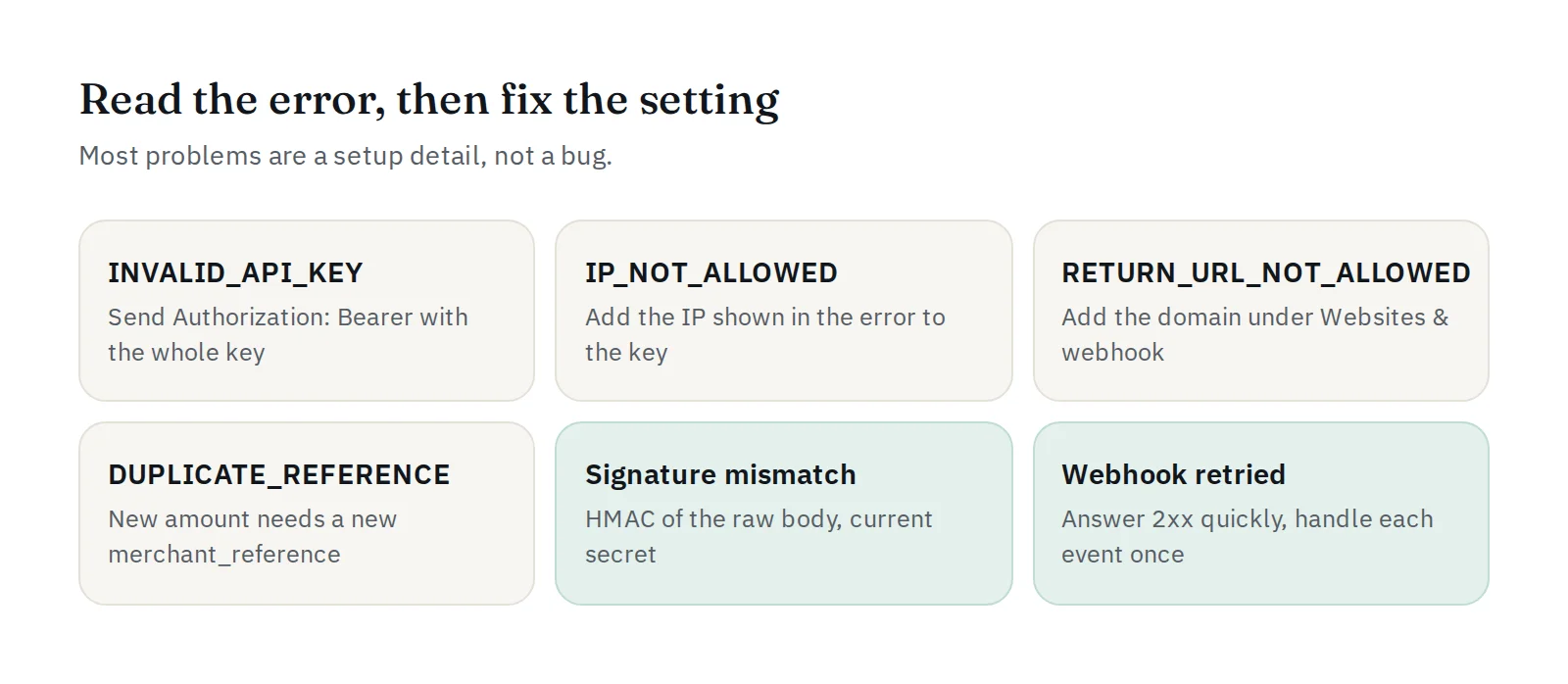
Error: INVALID_API_KEY. Send the header exactly as Authorization: Bearer <key>, with the whole key copied. Watch out for spaces or line breaks added by copy and paste.
2. Sandbox key in live, or live key in sandbox
A pw_test_… key only sees sandbox payments and a pw_live_… key only sees live ones. If you look up a payment with the wrong key you get NOT_FOUND. Keep the key in an environment setting and check which one your server loaded.
3. Your server's IP is not allowed
Error: IP_NOT_ALLOWED. The key has an allowed-IP list and your request came from another address. The error message shows the IP PAYWISE saw: add it on the API Keys page. Servers behind a load balancer or a new host often change their outgoing IP.
4. The return URL is not one of your websites
Error: RETURN_URL_NOT_ALLOWED. The return_url must use https:// and its domain must be one of your active websites (or a subdomain of one). Add the domain under Websites & webhook.
5. Reusing an order ID with a new amount
Error: DUPLICATE_REFERENCE. A repeat with the same details is safe and returns the original payment. A new amount needs a new merchant_reference. Read how idempotency works.
6. The webhook URL cannot be reached
Webhooks must go to a public https:// address. localhost and private IP addresses are rejected. Use Send test webhook and check the response under Delivery history. If your firewall only accepts known addresses, allow the sender IPs shown on the webhook page.
7. The signature never matches
Compute the HMAC-SHA256 of the raw request body, exactly as received, with your webhook secret. Parsing the JSON and encoding it again changes the bytes and breaks the signature. Also check that you use the current secret: after "Create a new secret", the old one stops working. Try your values in the signature tool in the docs, and read verifying webhook signatures.
8. Your server answers slowly or with an error
Answer the webhook with HTTP 2xx quickly, then do the slow work (emails, stock updates) afterwards. Anything else is retried, which can look like duplicate events. Handle each event once, using the payment reference.
9. Trusting the return page instead of the webhook
The customer coming back to your website does not prove they paid. Mark orders as paid only on a valid payment.paid webhook, or after checking the payment through the API.
10. Too many requests
Error: RATE_LIMITED (more than 60 requests a minute with one key). Do not check payment status in a tight loop: wait for the webhook, and retry with a growing delay.
Still stuck?
Open a ticket under Support with the time of the request, the error.code and your website, or message us on Telegram at @paywise_asia. See how to get fast help.


