

Webhook vs redirect: why payment status must come from the webhook, not the success page
The return URL tells the customer what happened; the signed webhook tells your server. Why you should never fulfil an order on the redirect, with code.
Published 11 October 2026 3 min read

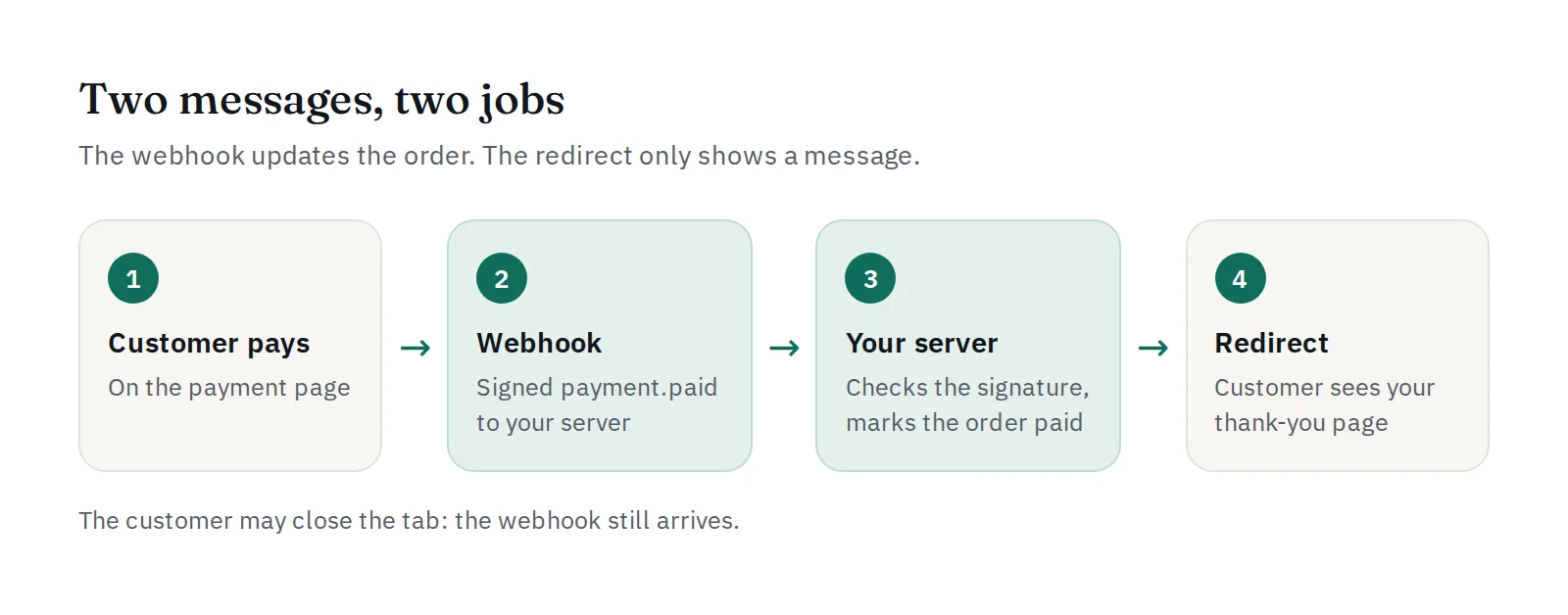
After a customer pays, two things happen almost at the same time:
- PAYWISE sends your customer back to your website (the redirect, or return URL).
- PAYWISE sends a signed webhook to your server (the callback).
They look similar, but they have very different jobs. Mixing them up is one of the most common, and most expensive, integration mistakes.
The redirect: for the customer's eyes
When a payment is paid, expired or failed, the hosted payment page sends the customer to your return URL, with the result added:
https://shop.example.com/thanks?reference=PW20260921143022AB3F&merchant_reference=ORDER-1042&status=paid
This URL is not proof of anything. Anyone can type it into a browser, change status=failed to status=paid, and press Enter. If your shop marks orders paid when this page opens, anyone can get your goods for free.
The redirect also may never happen: the customer closes the tab, loses their connection, or pays on their phone and never comes back.
Use the redirect only to show a message: "Thank you, we are confirming your payment."
The webhook: for your server
The webhook is a POST request from PAYWISE to your server, server to server. It is signed with your webhook secret in the X-PAYWISE-Signature header, so your server can check that it really comes from PAYWISE and that nobody changed it. It arrives even if the customer closed the tab, and failed deliveries are retried automatically.
The webhook is where you mark the order paid and start fulfilment. How to check the signature is explained in verifying PAYWISE webhook signatures.
How the two work together
Webhook handler: verify, then update the order once.
$raw = file_get_contents('php://input');
$event = \Paywise\Webhook::parse($raw, $_SERVER['HTTP_X_PAYWISE_SIGNATURE'] ?? '', getenv('PAYWISE_WEBHOOK_SECRET'));

if ($event['event'] === 'payment.paid') {
    // Only updates an order that is still unpaid: a repeated delivery changes nothing.
    $db->prepare("UPDATE orders SET status = 'paid' WHERE paywise_reference = ? AND status = 'unpaid'")
       ->execute([$event['data']['reference']]);
}
http_response_code(200);
Thank-you page: read the status from your own database, never from the URL.
$order = findOrderByPaywiseReference($_GET['reference'] ?? '');
if ($order && $order->status === 'paid') {
    echo 'Thank you! Your order is confirmed.';
} else {
    echo 'Thank you! We are confirming your payment. This page updates in a moment.';
}
If the webhook has not arrived yet when the customer lands, refresh the page after a few seconds, or ask PAYWISE directly with GET /api/v1/transactions/{reference}. That request is authenticated with your API key, so its answer can be trusted.
Checklist
- Fulfil orders only on the verified
payment.paidwebhook, or afterGET /api/v1/transactions/{reference}sayspaid. - Never trust
statusin the return URL. - Make the webhook handler idempotent: the same event can arrive more than once.
- Answer the webhook with a 2xx quickly; do slow work (emails, stock updates) afterwards.
- Test all three outcomes in the sandbox. See testing your webhook endpoint.


