

Test everything in the sandbox before going live
Sandbox keys let you create payments, choose whether they are paid, failed or expired, and receive real webhooks, without moving any money.
Published 03 October 2026 2 min read

A payment integration should be tested before real customers use it. PAYWISE gives every account a sandbox: a test environment that works like live, but where no real money moves.
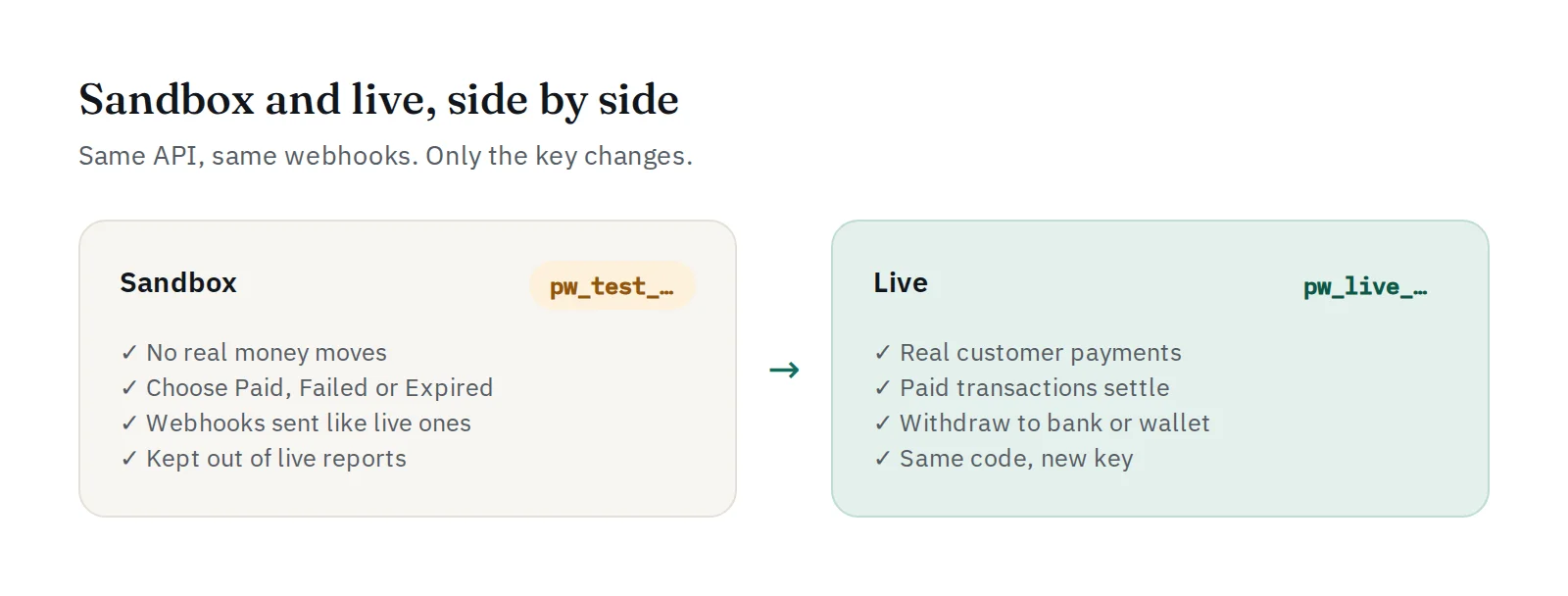
Sandbox keys
Create a key under API Keys and choose the sandbox environment. Sandbox keys start with pw_test_, live keys with pw_live_. Each key works in its own environment only, so a test can never create a real payment by mistake. Sandbox transactions are kept out of your live reports.
Choose the result yourself
In real life you wait for a customer to pay. In the sandbox you decide what happens:
- Create a payment with your sandbox key.
- Open its
checkout_url. - Under Simulate the result, choose Paid, Failed or Expired.
Your webhook URL receives exactly the same event a real payment would send, signed in the same way. This is the best way to test your order handling, including the unhappy paths.
No code yet? Use the playground
The API Playground in your dashboard sends real requests with your sandbox key from a form, and shows the request and the response. It is a quick way to see what the API returns before you write any code.
A checklist before going live
- A paid payment marks the order as paid once, even if the webhook arrives twice.
- Failed and expired payments do not ship the order.
- Your server rejects a webhook with a wrong signature.
- Sending the same
merchant_referenceagain does not create a second payment. - The API Logs page shows your requests with status codes you expect.
When everything passes, create a live key and replace the sandbox key. Nothing else in your code has to change.


