

Accepting USDT payments on BNB Smart Chain
Let customers pay in USDT (BEP20): how the deposit address and exact amount work, who pays the network fee, and what to tell your customers.
Published 03 October 2026 2 min read

Besides QRIS, PAYWISE accepts USDT on BNB Smart Chain (BEP20). It is a good fit for customers outside Indonesia and for businesses that price in US dollars. The integration is the same API call as QRIS, with "payment_method":"USDT" and "network":"BEP20".
How a USDT payment works
You create a transaction with the amount you want to receive, for example "amount": 25. The response gives you:
pay_address: a BEP20 deposit address for this payment,pay_amount: the exact amount of USDT your customer must send,expires_at: the address stays open for 60 minutes.
Show both to your customer, or send them to checkout_url, the PAYWISE payment page that shows the address, the exact amount and a countdown.
Who pays the network fee?
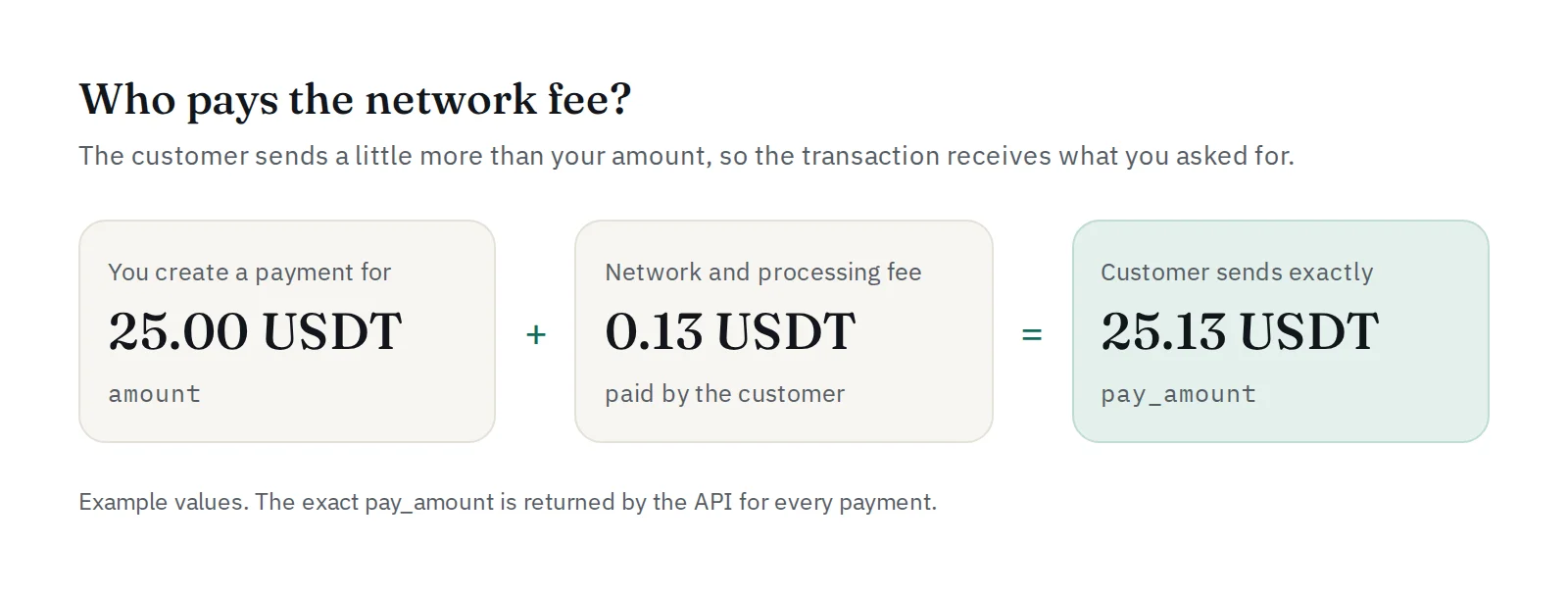
pay_amount is your amount plus the network and processing fee. The customer pays that fee, so the transaction receives the full amount you asked for. A payment that is short of pay_amount is not marked as paid, so ask your customers to send the exact amount shown.
What to tell your customers
- Send USDT on BNB Smart Chain (BEP20) only. Other networks or other tokens cannot be credited.
- Send the exact amount shown, in one transfer.
- If the network is slow and the deposit arrives after the 60 minutes, it is still confirmed.
After the payment
As with QRIS, you receive a signed payment.paid webhook. USDT payments settle as soon as they are paid, and you can withdraw them to your own BEP20 wallet from the dashboard. Amounts stay in USDT from start to finish: PAYWISE does not convert currencies.
Using WooCommerce? The PAYWISE plugin adds USDT to your checkout without code.


