

Chargebacks vs failed payments: the difference, and what merchants should do
A failed payment never moved money; a chargeback takes money back later. What each one means with QRIS and USDT, and what to do in every case.
Published 11 October 2026 3 min read

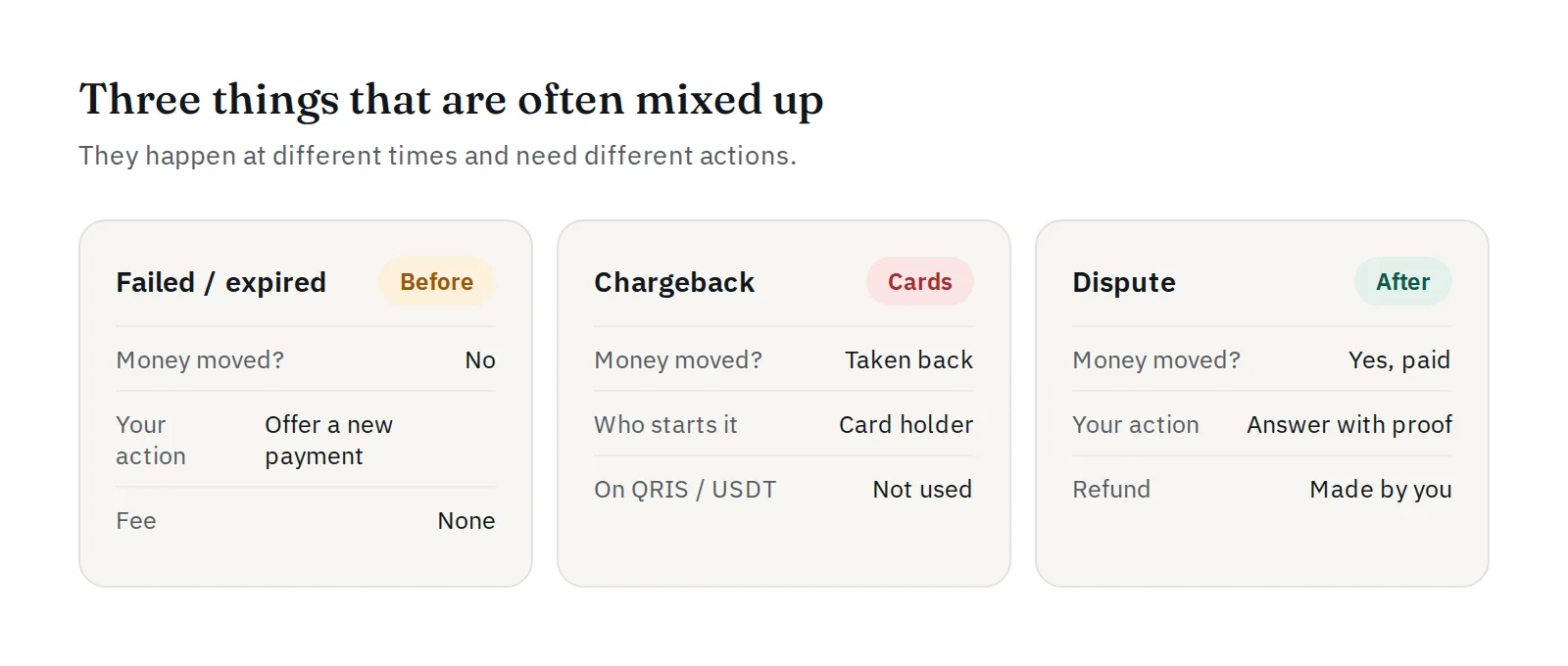
"Failed", "expired", "chargeback", "dispute": these words are often used as if they mean the same thing. They do not. They happen at different moments and need different actions from you. Knowing the difference saves you money and stress.
Failed and expired payments: before the money moves
A failed or expired payment is one that never completed. No money reached you, so there is nothing to refund.
- Expired: the customer did not pay in time. A QRIS code stays payable for up to 20 minutes, a USDT address for 60 minutes.
- Failed: the payment could not be completed, for example because the payment network refused it.
What to do: do not ship, and offer the customer a new payment if they still want the order. On PAYWISE, failed and expired payments cost you nothing. For the most common causes, see why online payments fail.
Chargebacks: money taken back later
A chargeback is a card-payment term. A card holder asks their bank to reverse a payment, sometimes weeks later, and the money is taken back from the merchant. Online shops that accept cards have to fight chargebacks with evidence, and often pay a fee for each one.
QRIS and USDT do not work this way. A payment is final once it is marked paid: there is no button the customer can press to pull it back. PAYWISE cannot take a paid payment back from your funds, and it cannot send the money back to the customer for you. This is one of the reasons many online sellers prefer QRIS and USDT.
Disputes: questions after a payment
"Final" does not mean "no questions ever". Sometimes, after a payment is paid:
- a customer complains that they did not get what they paid for;
- a bank or payment partner asks about a payment, for example when they suspect fraud.
What to do:
- Find the payment by its PAYWISE reference (
PW…) and check its status. - Collect your evidence: the order, chat messages and proof of delivery.
- Answer quickly and clearly. If PAYWISE contacts you about a payment, reply with these details; a withdrawal may be held while it is checked, and PAYWISE tells you why.
- If you agree to refund, you make the refund yourself, outside PAYWISE, to the customer who paid. See refunds and customer complaints.
"My money was taken but the status says failed"
Sometimes a customer says their bank account was debited, but the payment shows failed or expired. Do not ship and do not refund straight away:
- Open the payment and press Check status now: PAYWISE asks the payment provider directly.
- If it does not change, ask the customer for their proof (time, amount, reference in their banking app).
- Open a ticket under Support with the PAYWISE reference and the proof. We check it with the provider.
Quick summary
| Money moved? | What you do | |
|---|---|---|
| Failed / expired | No | Don't ship; offer a new payment |
| Chargeback (cards) | Taken back later | Not used for QRIS and USDT |
| Dispute after paid | Yes | Answer with evidence; refund yourself if agreed |


