

From API request to settlement: a behind-the-scenes look at PAYWISE
What happens inside PAYWISE between your API call and the money reaching your account: validation, the provider, confirmation, webhooks, settlement and withdrawal.
Published 04 October 2026 Updated 15 October 2026 3 min read

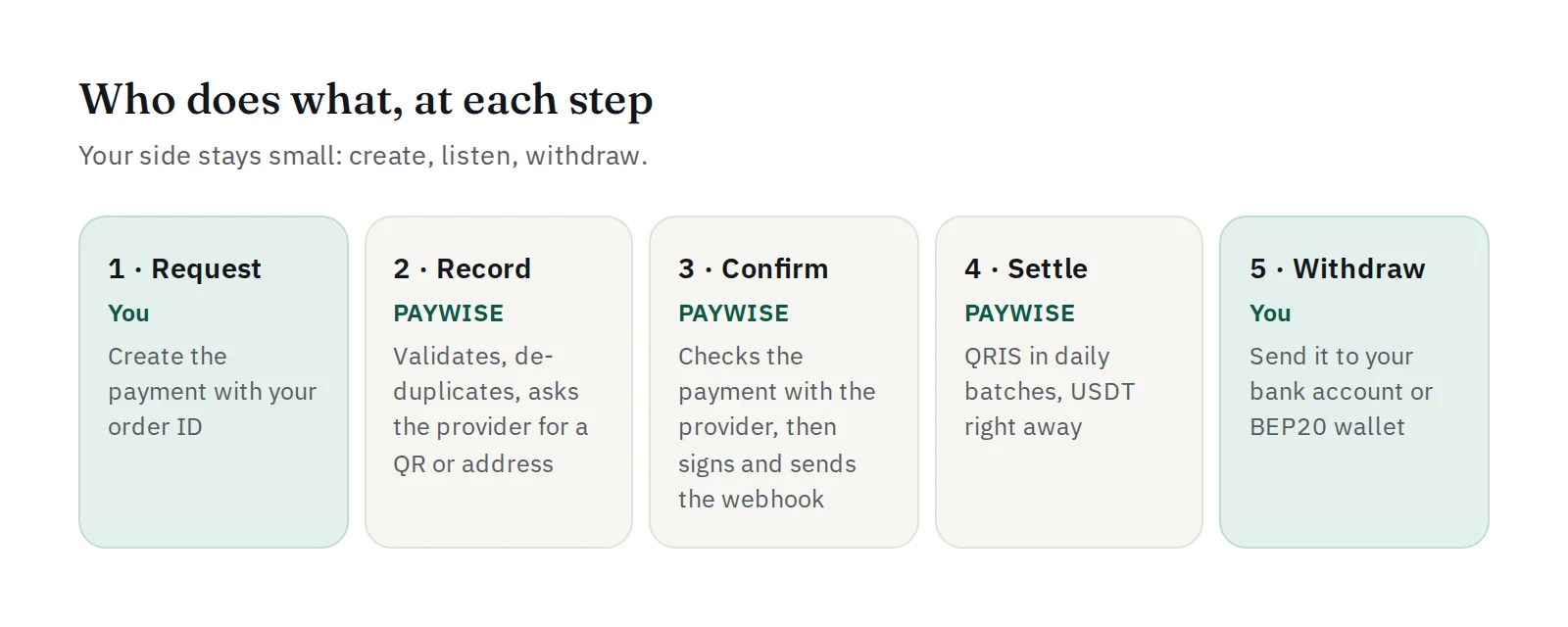
From the outside, a payment looks simple: you create it, the customer pays, you get the money. Inside, several careful steps make sure every payment is recorded once, confirmed for real and paid out correctly. Here is the whole journey.
1. Your request arrives
Your server calls POST /api/v1/transactions with your API key. PAYWISE first checks the key: that it exists, belongs to an active account, is not revoked, and (if you set a list) comes from an allowed IP address. Every request is logged with an X-Request-Id, whatever the outcome.
2. Validation and de-duplication
The fields are checked: amount within the limits of the method, a customer_id, network BEP20 for USDT. Then PAYWISE looks for your merchant_reference. If it already exists with the same amount and method, the original transaction is returned instead of creating a second one. That is why a retry after a timeout is always safe.
3. The payment is created with the provider
PAYWISE asks the connected payment provider for a QR code (QRIS) or a BEP20 deposit address and exact amount (USDT). The transaction is saved as pending and returned to you, with a checkout_url if the payment page is turned on for your website. In the sandbox, no real money moves and you choose the outcome yourself.
4. The customer pays
The customer scans the QR code with their bank or e-wallet app, or sends USDT to the address. A QR code stays payable for up to 20 minutes, a USDT address for 60 minutes.
5. Confirmation, checked twice
When the provider reports a payment, PAYWISE does not simply believe the message. The notification is authenticated, matched to exactly one transaction, and then confirmed server to server with the provider before the transaction is marked paid. A USDT payment that is short of the exact amount is not marked paid.
At that moment, the fee is calculated and recorded together with the gross and net amount.
6. Your webhook is sent
PAYWISE sends a payment.paid webhook to your server, signed with HMAC-SHA256. If your server does not answer with 2xx, the delivery is retried automatically, and every attempt is logged. Failed and expired payments send payment.failed and payment.expired.
7. Settlement
- QRIS payments settle in batches at 10:30, 14:30, 18:30 and 22:30 WIB, depending on when they were paid.
- USDT payments settle as soon as they are paid.
Once settled, the net amount is available to withdraw, and you are notified.
8. Withdrawal
You request a withdrawal from the dashboard or the API: IDR to a bank account, USDT to a BEP20 wallet. It moves from requested to approved, processing and completed, and you receive a withdrawal.completed webhook when the money is sent. If it fails, the reason is shown and the amount is available again.
What you need to build
Only three things: create payments, handle webhooks, and withdraw. Everything else in this list is done by PAYWISE. Start with How to accept QRIS payments.


