

Refunds and customer complaints with QRIS and USDT: what merchants should know
QRIS and USDT payments are final once paid. Here is how to handle refunds, wrong amounts and unhappy customers yourself, calmly and with the right records.
Published 10 October 2026 3 min read

Sooner or later, a customer will ask for their money back: an item is out of stock, an order was cancelled, or something went wrong. With QRIS and USDT, the way refunds work is a little different from card payments, so it helps to have a plan.
Payments are final
A QRIS or USDT payment is final once it is marked paid. There is no "chargeback" button: PAYWISE cannot pull a payment back from your funds, and it cannot send the money back to the customer for you. Refunds are made by you, outside PAYWISE.
This also protects you: a customer cannot reverse a payment on their own after receiving the goods.
How to refund a customer
- QRIS: ask the customer for their bank account or e-wallet details and send the refund from your own account. Keep the transfer receipt.
- USDT: ask the customer for a BEP20 wallet address, confirm it with them, and send the refund from your own wallet. Keep the transaction hash.
You can first withdraw your PAYWISE funds to your bank account or wallet as usual, then refund from there.
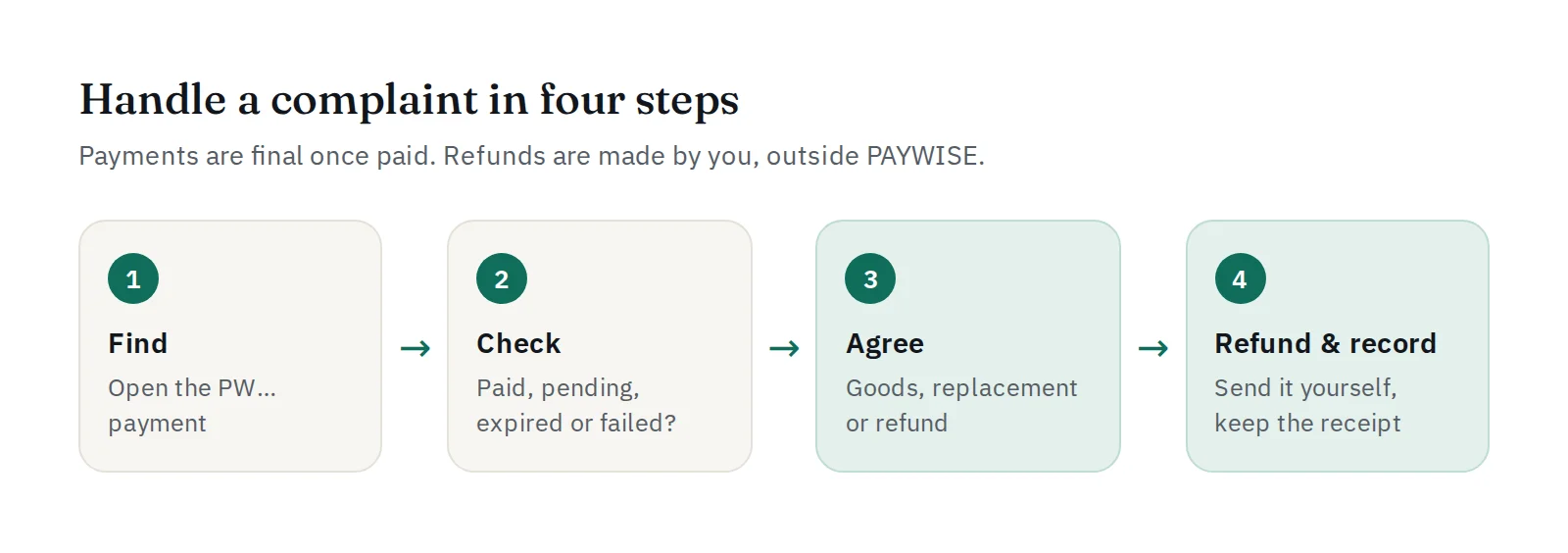
Handle complaints in four steps
- Find the payment. Search for the order in your dashboard and open the PAYWISE reference (
PW…). - Check the status. Paid, pending, expired or failed? If the customer says they paid but it is still pending, press Check status now.
- Agree on a solution. Send the goods, offer a replacement, or agree on a refund amount, in writing.
- Refund and record it. Make the refund, then note the date, amount and receipt next to the order in your own system.
Common situations
| The customer says… | What to do |
|---|---|
| "I paid but the order is not confirmed" | Check status now; if it stays pending, ask for proof of payment and open a support ticket with the reference |
| "I paid twice" | Find both payments; fulfil one and refund the other yourself |
| "I paid after the QR expired" | Do not refund straight away: contact support with the reference and the customer's proof first |
| "I want to cancel" | Follow your own refund policy and refund outside PAYWISE |
Write a clear refund policy
Put your refund rules on your website: when you refund, how long it takes, and which details the customer must send. Clear rules prevent most arguments.
When a bank or partner raises a dispute
Sometimes a bank or payment partner asks about a payment. PAYWISE will contact you, and you help answer with your order details and proof of delivery. A withdrawal may be held while it is checked, and PAYWISE tells you why.
Need help with a specific payment? Open a ticket under Support, or message us on Telegram at @paywise_asia.


