

Moving from per-website secrets to one webhook secret
PAYWISE now signs every webhook with one merchant secret. Websites set up earlier keep their older secret until you switch. Here is how to switch without missing a single webhook.
Published 10 October 2026 2 min read

PAYWISE signs every webhook with one signing secret for your whole account. It is shown on the Websites & webhook page, and Create a new secret replaces it when you need to.
If you added a website with its own webhook URL before this change, that website still signs its webhooks with its own older secret. Nothing broke: your existing integration keeps working. The website shows the notice "This website still uses its own older secret" and a Switch to the main secret button.
Why switch?
- One secret to store. Every server checks the same value, so there is less to keep in sync.
- One place to rotate. If a secret ever leaks, one click replaces it for every website.
- Fewer mistakes. Most "signature does not match" problems come from a server using the wrong secret.
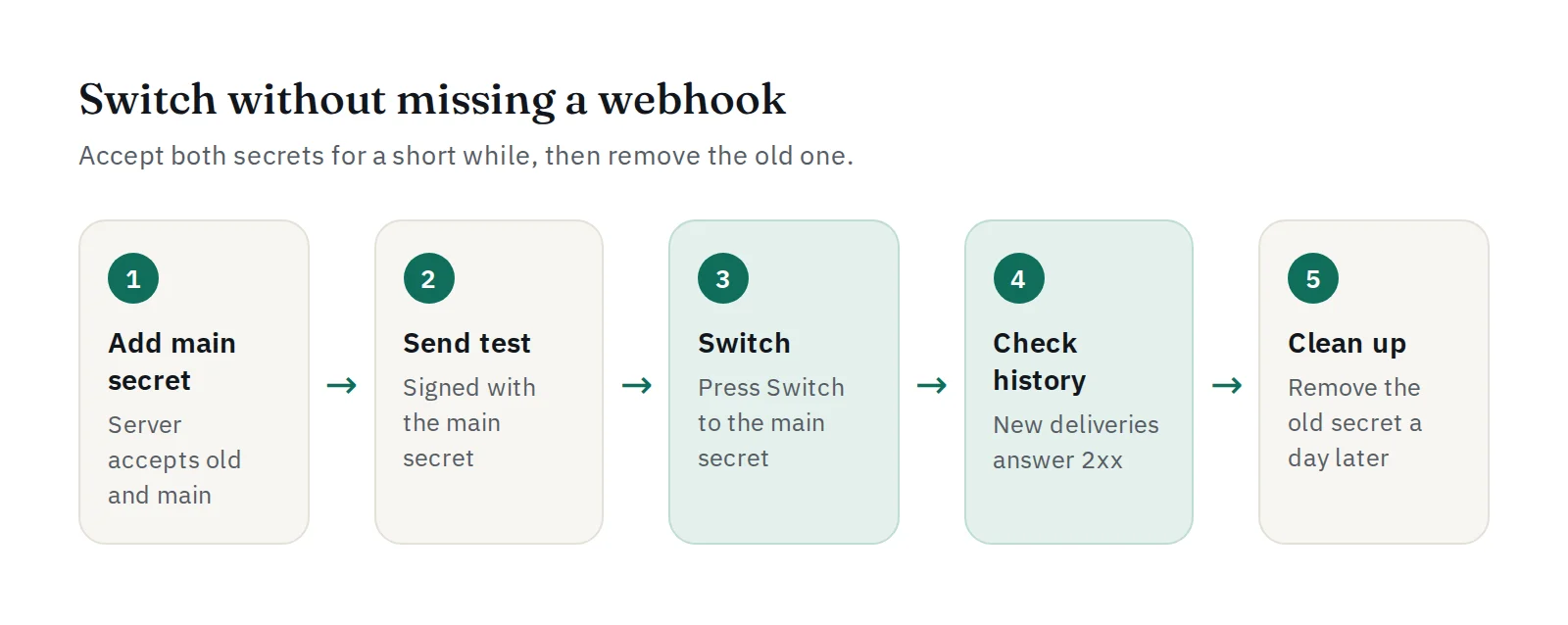
Switch without missing a webhook
The moment you press Switch to the main secret, signatures made with the old secret stop. To avoid even a short gap, let your server accept both secrets for a while:
$raw = file_get_contents('php://input');
$signature = $_SERVER['HTTP_X_PAYWISE_SIGNATURE'] ?? '';
$secrets = [getenv('PAYWISE_WEBHOOK_SECRET'), getenv('PAYWISE_OLD_SITE_SECRET')];

$valid = false;
foreach (array_filter($secrets) as $secret) {
    if (hash_equals(hash_hmac('sha256', $raw, $secret), $signature)) {
        $valid = true;
        break;
    }
}
if (! $valid) {
    http_response_code(401);
    exit;
}
Then follow these steps:
- Copy the main signing secret from the Websites & webhook page and add it to your server next to the old one.
- Deploy, and press Send test webhook to confirm a delivery signed with the main secret is accepted.
- Press Switch to the main secret on the website.
- Check Delivery history: new deliveries should answer with HTTP 2xx.
- After a day without problems, remove the old secret from your server.
Several websites on different servers?
Do the steps once per website. Each website switches on its own, so you can move them one at a time.
Missed a webhook anyway?
Failed deliveries are retried automatically, after about 1 minute, 5 minutes, 30 minutes and 2 hours. You can also press Retry now on any failed delivery. A retry is signed with your current secret.
More on signatures: verifying PAYWISE webhook signatures.


