

Team access on PAYWISE: who on your team should do what
Give your staff their own sign-in with the right role: Finance for withdrawals, Developer for API keys and webhooks, Viewer for read-only access. Here is what each role can do.
Published 10 October 2026 2 min read

Sharing one password with your whole team is risky: you cannot tell who did what, and everyone can withdraw money. On PAYWISE, every team member gets their own sign-in and a role that decides what they can do.
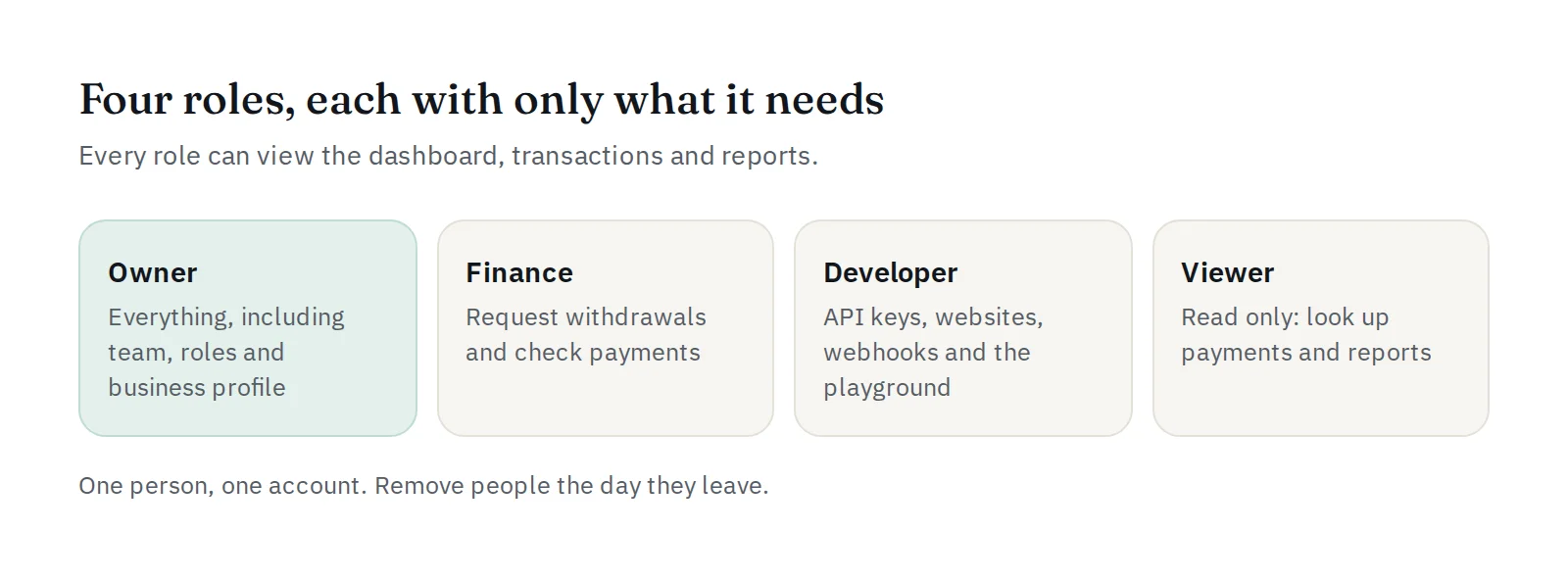
The four roles
Every role can view the dashboard, transactions, settlements and reports. Roles decide who can take actions:
| Action | Owner | Finance | Developer | Viewer |
|---|---|---|---|---|
| Request withdrawals | ✓ | ✓ | ||
| Check transactions with the provider | ✓ | ✓ | ✓ | |
| Create, rotate and revoke API keys | ✓ | ✓ | ||
| Configure, test and retry webhooks | ✓ | ✓ | ||
| Manage websites for the payment page | ✓ | ✓ | ||
| Use the API playground | ✓ | ✓ | ||
| Edit the business profile | ✓ | |||
| Manage the team and roles | ✓ |
Only the Owner and Developers can see the webhook signing secret.
Which role for whom?
- Finance: the person who handles money and bookkeeping. They can withdraw and check payments, but cannot touch your integration.
- Developer: your programmer or agency. They can manage API keys, websites and webhooks, but cannot withdraw money.
- Viewer: customer service or a partner who only needs to look up payments.
Give each person the smallest role that lets them do their job.
How to add a team member
- Open Team in your dashboard (only the Owner can do this).
- Press Add team member, enter their name and email, and choose a role.
- PAYWISE shows a temporary password. Share it with them directly, in person or through a private channel. Ask them to change it after their first sign-in.
You can change a member's role or remove them at any time. When someone leaves your company, remove them on the same day.
Good habits
- One person, one account. Never share sign-ins.
- If a developer leaves, also rotate the API keys they used and consider creating a new webhook secret.
- Check the sign-in activity from time to time.
Read more about keeping your account safe in how to keep your PAYWISE account secure.


