

Fake "PAYWISE support" accounts and phishing: how to stay safe
Scammers pretend to be payment support to steal passwords, codes and money. Learn the official PAYWISE contacts, what we never ask for, and what to do if you are targeted.
Published 10 October 2026 2 min read

Payment accounts hold money, so scammers target them. A common trick is to pretend to be support: a Telegram account with a similar name, an email that looks official, or a link to a page that copies the sign-in screen. Knowing a few simple rules keeps you safe.
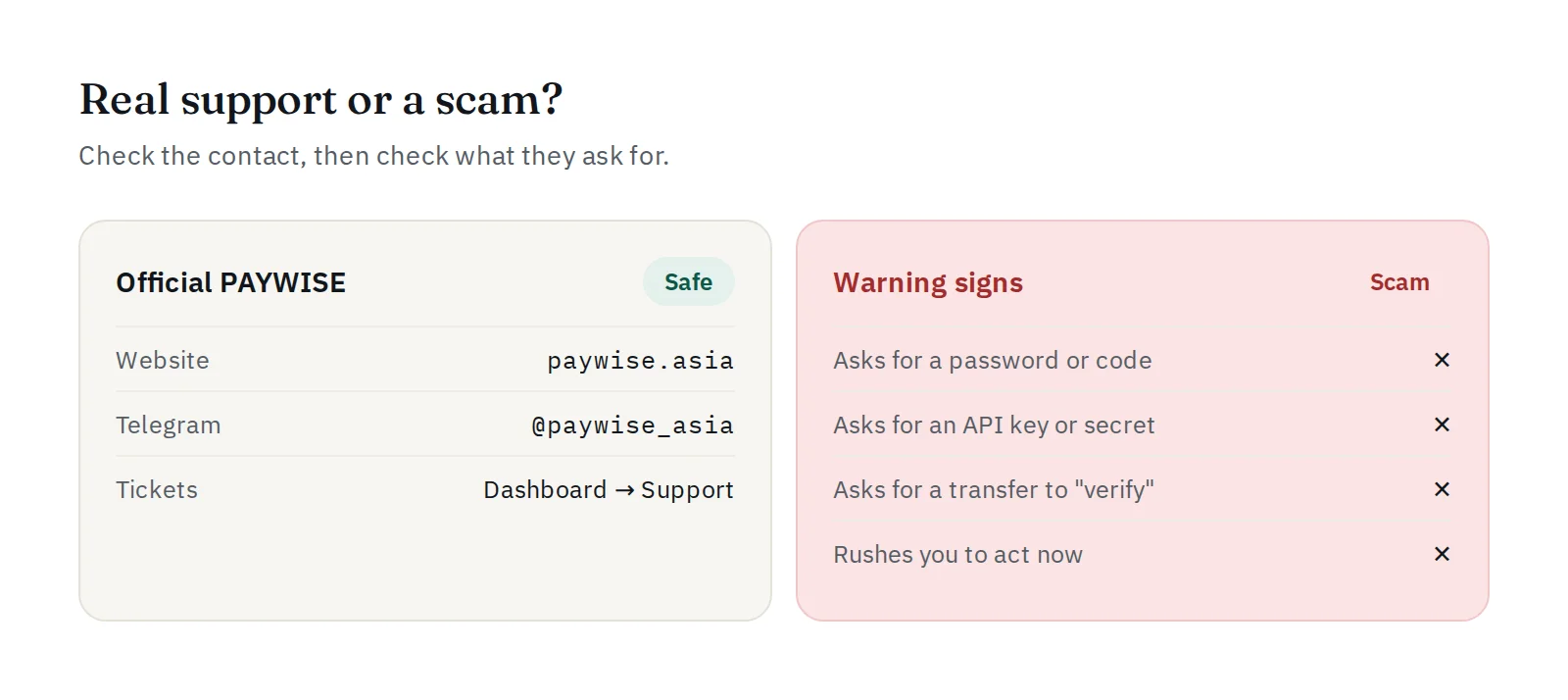
Our official contacts
- Website and dashboard:
paywise.asiaonly. Always check the address before you sign in. - Telegram: @paywise_asia, exactly. Look out for extra letters, dots, underscores or numbers.
- Support tickets: inside your dashboard, under Support.
What PAYWISE never asks for
PAYWISE will never ask you for:
- your password;
- the code we email you to sign in or to withdraw;
- your API key or webhook secret;
- a transfer or deposit to "verify", "unlock" or "activate" your account;
- remote access to your computer or phone.
If someone asks for any of these, it is a scam, even if they use our name and logo.
Warning signs
- Pressure: "Your account will be closed in 1 hour unless…"
- A message you did not expect, especially one that starts the conversation with you.
- A link to sign in that is not on
paywise.asia. - A new bank account or wallet for withdrawals that you did not add yourself.
If you think you were targeted
- Do not reply and do not click the link.
- If you entered your password somewhere, change it straight away, then open the security page and sign out all other sessions.
- If you shared an API key, revoke it on the API Keys page and create a new one. If you shared your webhook secret, press Create a new secret.
- Check your sign-in activity and your recent withdrawals.
- Tell us through a Support ticket or on Telegram at @paywise_asia, with a screenshot of the message.
Protect your email too
Sign-in and withdrawal codes are sent to your email. If someone gets into your email, they get one step closer to your money. Use a strong password and two-step verification on your email account.
More tips: how to keep your PAYWISE account secure and how to protect your API keys.


