

How to reduce payment reconciliation time with a single source of truth
Reconciliation is slow when payments, fees and withdrawals live in different places. Here is how to set up PAYWISE so every number can be traced in a few clicks.
Published 04 October 2026 3 min read

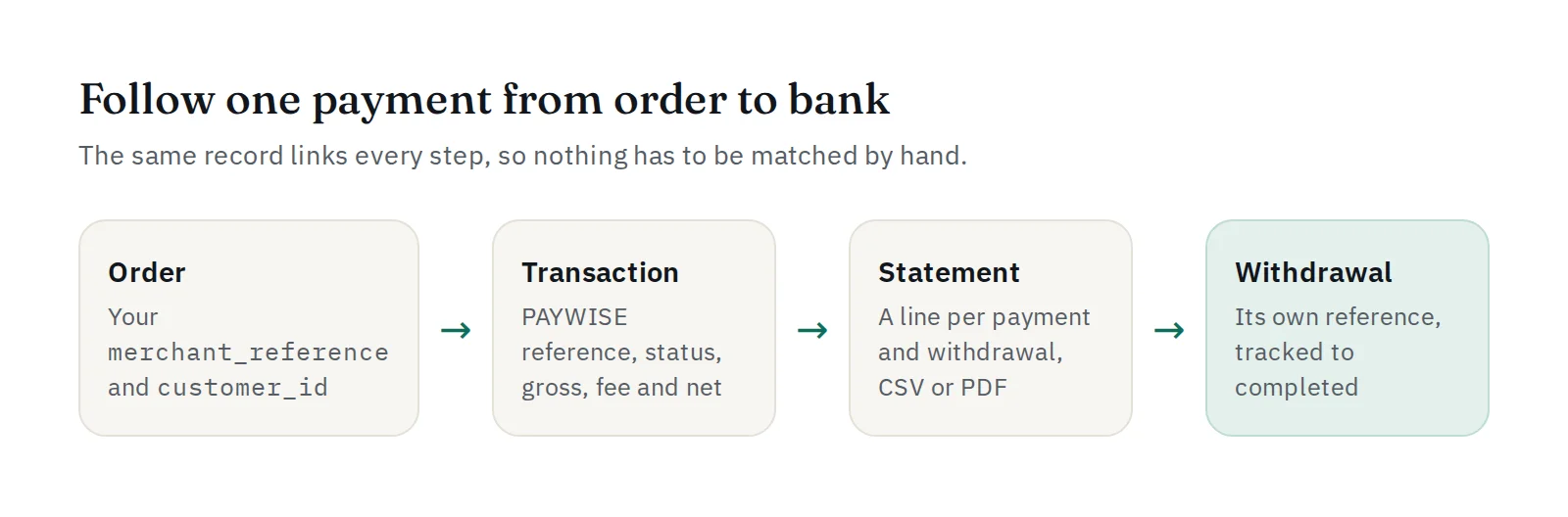
Reconciliation means checking that every order you sold was paid, that every payment you received matches an order, and that what reached your bank account matches both. It is slow when the numbers live in different systems and have to be matched by hand. The fix is a single source of truth: one record that every step points to.
1. Use your own order ID everywhere
Send your order number as merchant_reference when you create a payment, and a customer_id for the customer. Both are stored on the transaction and appear in the dashboard, in exports, in API responses and in every webhook. You never have to guess which payment belongs to which order.
2. Let webhooks update your system
Update your orders from the signed payment.paid webhook instead of by hand. If a delivery fails, PAYWISE retries it, and you can see and resend every attempt on the Webhooks page. That way your system and PAYWISE agree on every status.
3. Read gross, fee and net on every transaction
Every paid transaction records the gross amount, the PAYWISE fee and the net amount. The fee is calculated when the payment is paid and does not change afterwards, so last month's numbers stay the same when you look at them again.
4. Export what you need
- Transactions: filter by status, method and date, then export to CSV.
- Reports: totals for a period, with a CSV export and a downloadable statement.
- Finance Center statement: like a bank statement, one line per payment, withdrawal request and returned payout, oldest first, with period totals. Export it as CSV for your spreadsheet or PDF for your records.
On the 1st of each month you also receive a monthly statement with last month's totals.
5. Match withdrawals to your bank
Every withdrawal has its own reference, its amount, its fee and the amount sent, and is tracked until it is completed. A failed or rejected withdrawal shows its reason and returns to your available funds, and the statement shows it as returned, so nothing disappears between two systems.
6. Automate it with the API
For larger volumes, reconcile automatically:
GET /api/v1/transactionswithstatus,payment_method,date_from,date_to,merchant_referenceorcustomer_idfilters;GET /api/v1/withdrawalsto list your withdrawals and their status.
Run it once a day, compare with your orders, and only look at the exceptions.
A simple daily routine
- Check that every paid order in your system has a paid transaction with the same
merchant_reference. - Look at pending orders older than one day: did the payment expire?
- Compare completed withdrawals with your bank statement.
With one source of truth, this takes minutes instead of an afternoon.


