

Exploring PAYWISE pricing: what affects fees for QRIS and USDT
What you pay with PAYWISE, when it is charged, what is free, and what changes the amount: payment method, successful payments only, withdrawals and volume.
Published 04 October 2026 2 min read

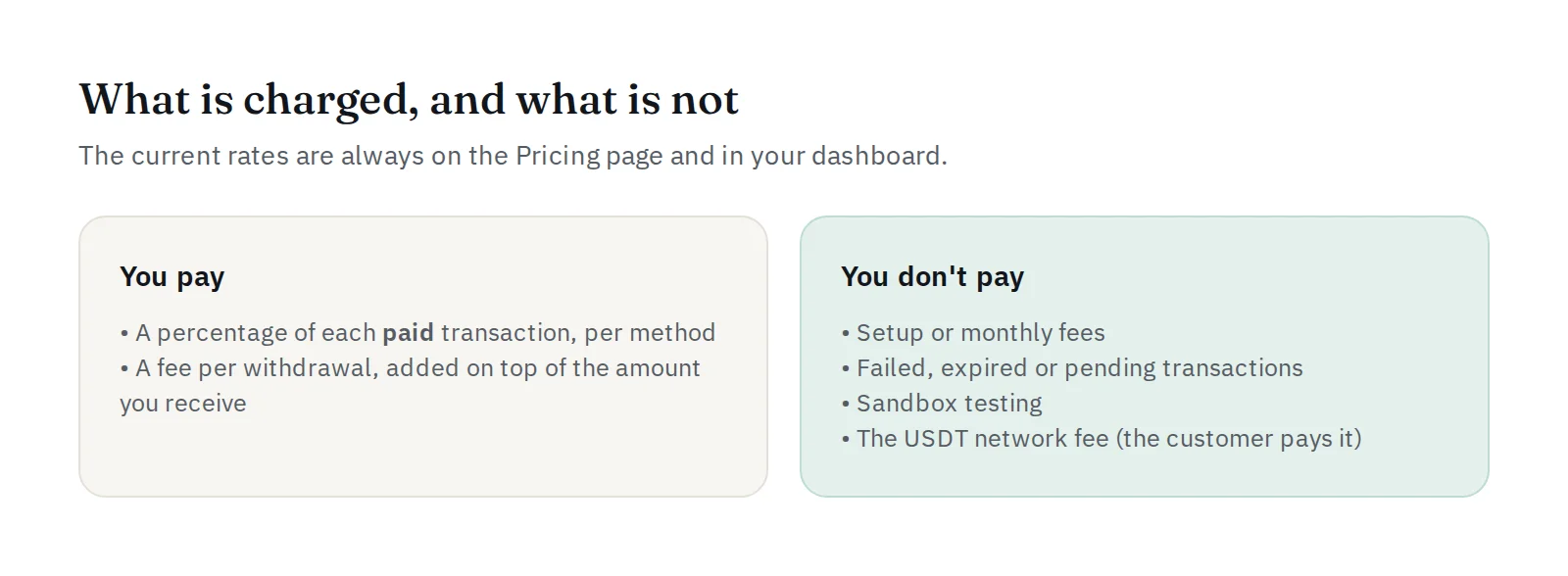
PAYWISE pricing is designed to be simple: no plans to compare and no feature tiers. Every merchant gets the full platform and pays only when payments succeed. This article explains what affects what you pay. The current rates are always on the pricing page and in your dashboard.
1. The payment method
Each payment method has its own published rate: one percentage for QRIS and one for USDT. The fee is taken in the currency of the payment itself, IDR for QRIS and USDT for USDT. Nothing is converted, so there is no exchange-rate margin.
2. Only successful payments are charged
The fee is calculated when a payment is paid, as a percentage of the paid amount, and recorded on that transaction together with its gross and net amount. Pending, failed and expired payments cost nothing, and so does testing in the sandbox.
Example: if your rate for a method is r%, a paid transaction of 100 has a fee of r and a net amount of 100 minus r, in the same currency.
3. Withdrawals
When you withdraw, a fee per withdrawal applies, shown on the withdrawal form before you confirm. It is added on top of the amount you enter, so the amount you choose is exactly the amount that arrives. Each method also has a minimum and maximum per withdrawal. A larger amount can be split into several withdrawals, each with its own fee, so fewer, larger withdrawals usually cost less.
4. The USDT network fee
For USDT payments, moving coins on BNB Smart Chain has a network cost. The customer pays it: the amount they send (pay_amount) includes it, so the transaction still receives the full amount you asked for. See Accepting USDT payments.
5. Your volume
For businesses with large daily or monthly volumes, rates are negotiable. Tell us your expected volume and we will send you our best offer, including help with the integration. Contact us on Telegram from the pricing page.
What you never pay
- No setup fee and no monthly fee.
- No fee on failed, expired or pending payments.
- No fee for the sandbox, the dashboard, webhooks, exports or team members.
Where to see what you paid
Every transaction shows its gross, fee and net. The Finance Center statement lists every payment and withdrawal with its fee, for any period, as CSV or PDF. See How to reduce reconciliation time.


