

Mirror domains: one website, several addresses
Run the same shop on more than one domain. Customers go back to the domain they paid from, and each domain can receive its own payment notifications.
Published 05 October 2026 2 min read

Many shops are reachable on more than one domain: a backup domain, a shorter domain for campaigns, or a new domain while the old one still works. In PAYWISE, these extra domains are called mirror domains. You add them to a website once, and payments from every domain work the same way.
What changes
- Customers go back to the domain they paid from. Someone who shops on your mirror returns to that mirror after paying, not to your main domain.
- Each domain can receive its own webhook. Payment notifications for a payment made on a mirror can be sent to the same mirror.
- The API accepts a mirror as the website. If your request names a mirror domain, PAYWISE knows which website it belongs to.
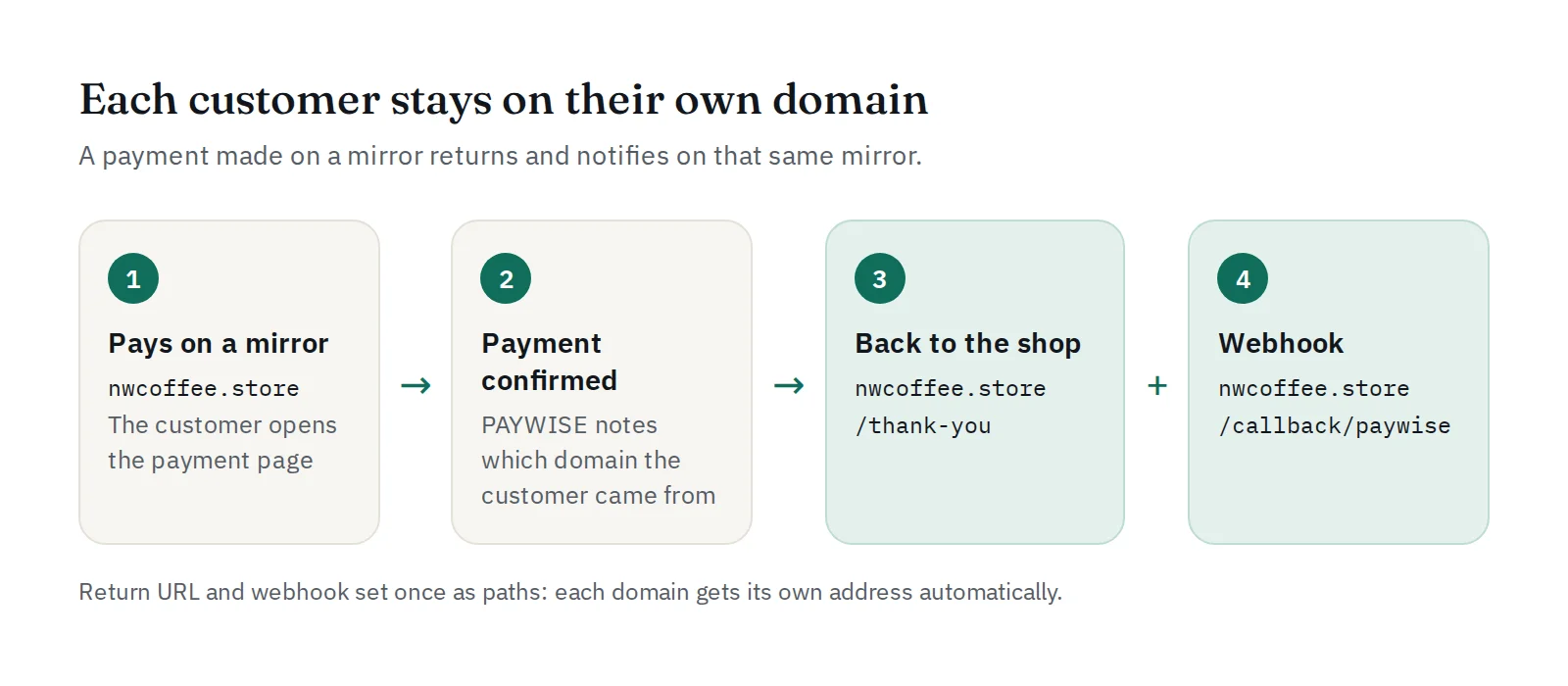
Paths instead of full addresses
The return URL and the webhook URL of a website can now be written as just a path, for example /thank-you and /callback/paywise. PAYWISE opens or calls that path on whichever domain the payment came from:
| Customer paid on | Goes back to | Webhook is sent to |
|---|---|---|
| northwindcoffee.com | northwindcoffee.com/thank-you | northwindcoffee.com/callback/paywise |
| nwcoffee.store | nwcoffee.store/thank-you | nwcoffee.store/callback/paywise |
Full https:// addresses still work. A full address on another domain is used as it is, for every payment.
How PAYWISE knows the domain
PAYWISE uses the domain named in your API request, or the page the customer came from when they open the payment page. Only the website's own registered domains count, and the choice is made once per payment.
Set it up
- Open Payment page in your dashboard and find your website's card.
- Under Mirror domains, add your other domains, one per line (up to ten). Their subdomains are included.
- Set Return URL after payment and the URL under Webhook for this website as paths, such as
/thank-youand/callback/paywise. - Check the website card: it shows where customers and notifications go for each domain.
Good to know
- Make sure the same paths exist on every domain.
- Every domain uses the same webhook secret, so one signature check works everywhere. See Verifying PAYWISE webhook signatures.
- A webhook path is checked as a public address when you save it, and again before every delivery.
New to accepting payments online? Start with How to accept payments on your website.


