

How to accept payments on your website: 3 ways, from no code to full API
Whether you run a WooCommerce store, a custom PHP or Node.js site or your own app, here is the quickest way to accept QRIS and USDT payments on it.
Published 04 October 2026 2 min read

Adding online payments to a website sounds technical, but the right approach depends on how your site is built. Here are three ways, from the easiest to the most flexible.
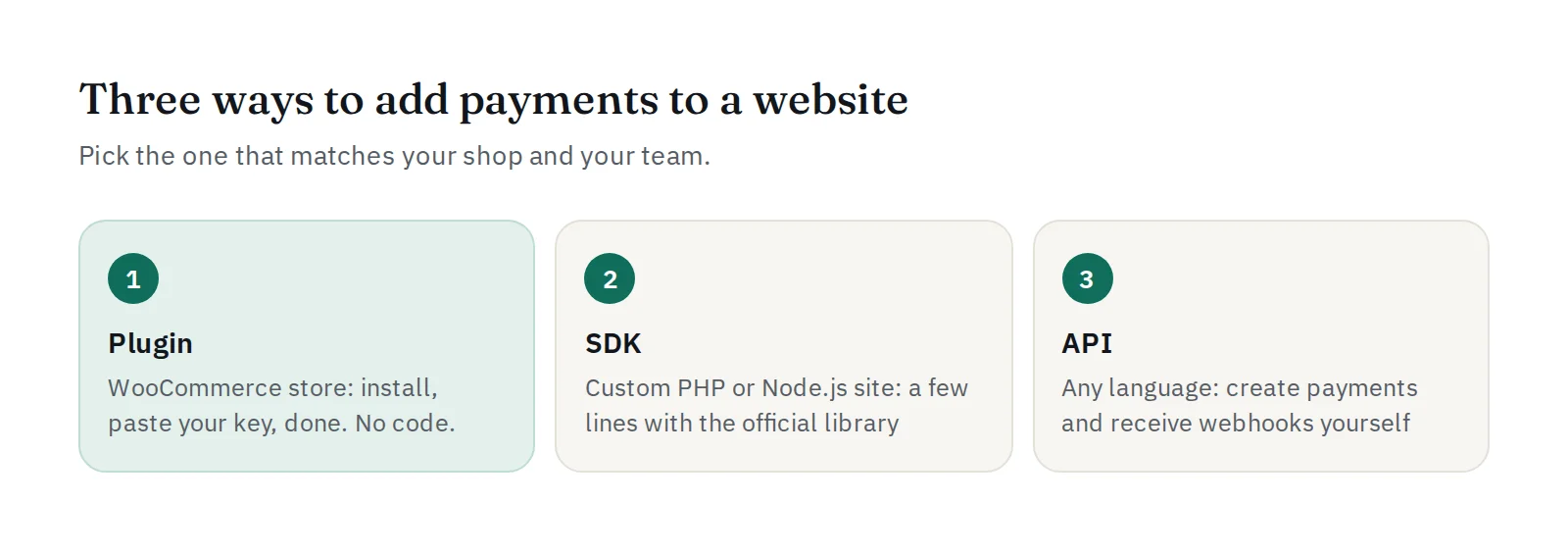
1. No code: the WooCommerce plugin
If your shop runs on WordPress with WooCommerce, install the PAYWISE for WooCommerce plugin. Your customers can pay with QRIS or USDT at checkout, and orders are marked paid automatically.
- Upload the plugin in WordPress and activate it.
- In PAYWISE, add your store's domain under Payment page and turn it on.
- Paste your API key in WooCommerce → Payments.
- Set the webhook URL shown by the plugin.
The full guide: Add QRIS and USDT to your WooCommerce checkout.
2. A little code: the official SDKs
For a custom site in PHP or Node.js, the official SDKs handle the API calls and webhook verification for you. Creating a payment is a few lines, and you can send customers to the PAYWISE payment page (checkout_url), which shows the QR code or USDT address, a countdown and the status. Download them from the Developers page.
3. Full control: the REST API
Any language can use the API directly:
POST /api/v1/transactionscreates a payment for an order.- Show the QR code yourself, or redirect to
checkout_url. - Your server receives a signed
payment.paidwebhook and marks the order paid.
Start with How to accept QRIS payments and the API documentation.
Before you go live
Whichever way you choose, test everything with a sandbox key first: you can mark test payments as paid, failed or expired and see how your shop reacts. See Test everything in the sandbox.
Which one is right for you?
| Your site | Best option |
|---|---|
| WooCommerce store | Plugin (no code) |
| Custom PHP or Node.js site | SDK + payment page |
| Mobile app, other language, platform | REST API |
Not sure? Create a free account and try the sandbox, or ask us on Telegram.


