

Cash flow tips for online shops: planning your withdrawals
Know when your QRIS and USDT funds become available, save on withdrawal fees, and avoid the small mistakes that delay a withdrawal.
Published 10 October 2026 Updated 15 October 2026 2 min read

Getting paid is only half of the job. The other half is getting the money into your bank account or wallet when you need it. A little planning saves fees and avoids surprises.
1. Know when funds become available
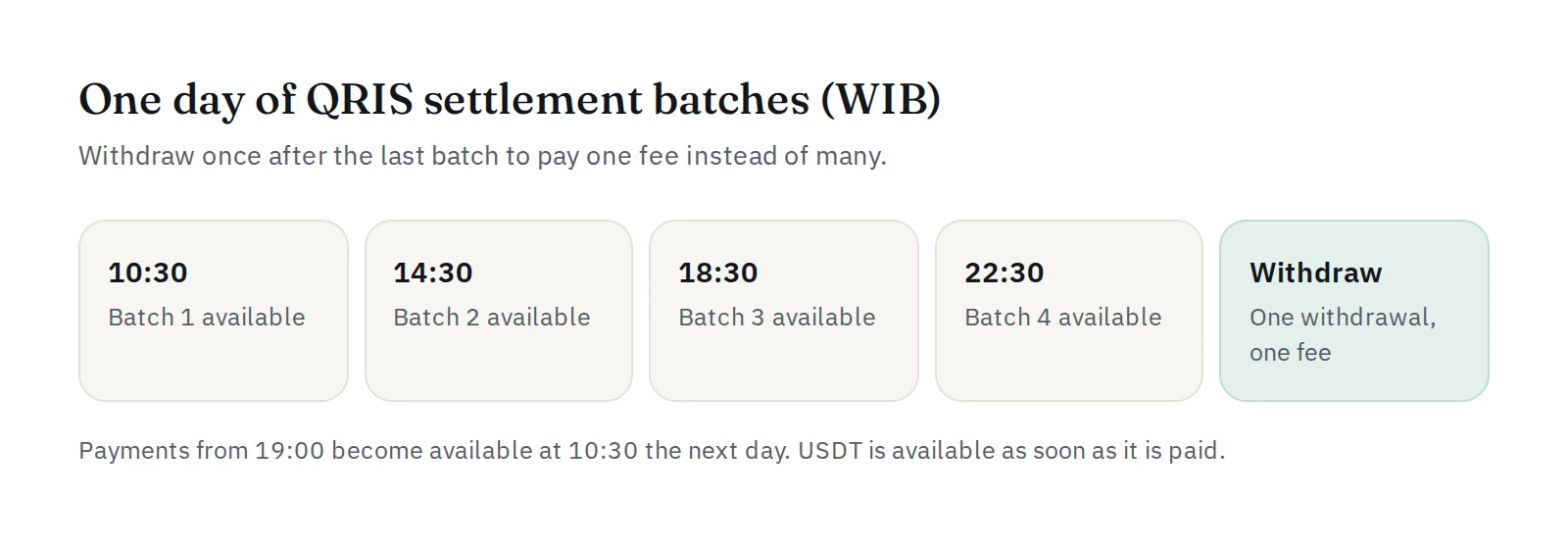
QRIS funds arrive in settlement batches during the day, at 10:30, 14:30, 18:30 and 22:30 WIB. Each batch covers the payments made in the hours before it, and payments made from 19:00 become available at 10:30 the next day. The exact windows are in the Help Center.
USDT funds are available as soon as the payment is paid.
On the dashboard, money that is waiting for its batch is shown as awaiting settlement, separate from what you can withdraw now.
2. Withdraw less often, in larger amounts
Every withdrawal has a flat fee, whatever the amount. Ten small withdrawals cost ten fees; one larger withdrawal costs one. Many shops withdraw once a day, after the last batch, or a few times a week.
Your own withdrawal fee and limits are shown on the withdrawal page.
3. Large amounts: use Partial withdraw
One QRIS withdrawal has a maximum. Above it, choose Partial withdraw: PAYWISE splits the amount into several withdrawals for you, with a fee for each one.
4. Check the account before you send
Press Check account before you submit a bank withdrawal. It shows the account holder's name from the bank, so a typo in the account number does not cost you time. For USDT, double-check that the wallet address is a BEP20 address.
5. Keep your withdrawal code safe
Each withdrawal needs a code sent to your email. Keep your email account secure: it protects your money even if someone gets your dashboard password.
6. Let the right people withdraw
Only the owner and team members with the finance role can request withdrawals. Give developers and viewers other roles. See team roles.
7. If a withdrawal fails
The most common reasons are a wrong account number, an inactive account or a wrong wallet address. A failed or rejected withdrawal always goes back to your available funds, so you can correct the details and try again.
Automate it
If your system needs to withdraw by itself, use POST /api/v1/withdrawals with a live key and an Idempotency-Key header, and listen for the withdrawal.* webhooks.
Read more in settlement and withdrawals, explained and automatic bank withdrawals.


