

Avoid duplicate payments: how idempotency keeps one order to one payment
Timeouts, double clicks and retries can create two payments for one order. Here is how merchant_reference and the Idempotency-Key header make every PAYWISE request safe to repeat.
Published 07 October 2026 4 min read

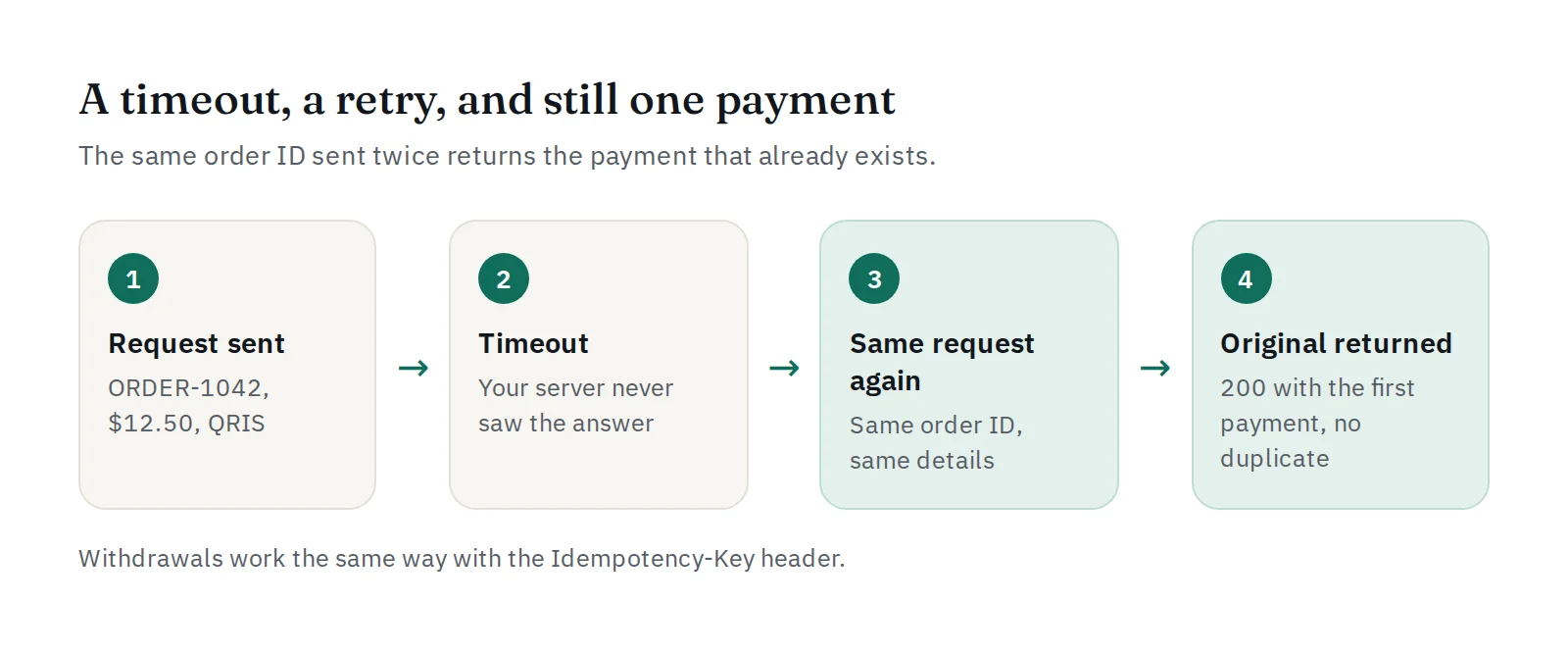
Networks are not perfect. Your server sends a request to create a payment, the connection drops, and you never see the answer. Did the payment get created or not? If you simply try again, you might create two payments for one order, and a customer might even pay twice.
The fix has a long name but a simple idea: idempotency. A request is idempotent when sending it twice has the same effect as sending it once.
Where duplicates come from
- Timeouts. The request reached PAYWISE, but the answer never reached you.
- Automatic retries. Your HTTP library or job queue tries again after an error.
- Double clicks. A customer presses "Pay" twice, or refreshes the checkout page.
- Two servers. Two workers pick up the same order at the same time.
Payments: your order ID is the key
When you create a transaction, you send merchant_reference: your own order ID. PAYWISE uses it to recognise a repeat:
| You send | PAYWISE answers |
|---|---|
A new merchant_reference |
201 Created, a new transaction |
The same merchant_reference with the same details |
200 OK with the original transaction, nothing new is created |
The same merchant_reference with different details (for example another amount) |
409 DUPLICATE_REFERENCE |
So after a timeout you can safely send exactly the same request again:
curl -X POST https://paywise.asia/api/v1/transactions \
  -H "Authorization: Bearer pw_test_..." \
  -H "Content-Type: application/json" \
  -d '{"merchant_reference":"ORDER-1042","customer_id":"user-42","amount":150000,"payment_method":"QRIS"}'
Each environment (sandbox and live) keeps its own references, so testing never blocks a live order ID.
When to use a new reference
There is one exception. If PAYWISE answers 502 PROVIDER_ERROR or 504 PROVIDER_TIMEOUT, that transaction was marked failed, and the error message says so. Retry with a new merchant_reference, for example ORDER-1042-2, and keep the link to the order in your own database. The same goes for a payment that expired: create a new one rather than reusing the old reference.
Withdrawals: the Idempotency-Key header
Moving money out needs the same protection. POST /api/v1/withdrawals requires an Idempotency-Key header: 8 to 64 characters (letters, digits and . _ : -), unique per withdrawal.
curl -X POST https://paywise.asia/api/v1/withdrawals \
  -H "Authorization: Bearer pw_live_..." \
  -H "Idempotency-Key: payout-2026-10-07-0001" \
  -H "Content-Type: application/json" \
  -d '{"payment_method":"USDT","amount":250,"wallet_address":"0x...","network":"BEP20"}'
- The same key with the same details returns the original withdrawal (
200). - The same key with different details returns
409 DUPLICATE_REQUEST. 409 WITHDRAWAL_BUSYmeans another withdrawal was being created at the same moment: wait a little and retry with the same key.
Create the key before the first attempt and store it with the payout in your database. A key generated fresh on every retry protects nothing.
Webhooks: be idempotent on your side too
Idempotency works in both directions. If your server does not answer a webhook, PAYWISE sends it again, so the same payment.paid event can arrive more than once. Make your handler safe to repeat:
- Verify the signature (how).
- Find the order by
merchant_reference. - If it is already paid, answer
200and stop. Do not ship twice or send a second email. - Otherwise mark it paid in one database transaction, then answer
200.
Checklist
- Use your real order ID as
merchant_reference, never a random value per request. - Retry timeouts and network errors with the same request.
- Use a new reference only after a failed or expired payment.
- Store each withdrawal's
Idempotency-Keybefore you send it. - Make your webhook handler ignore events it has already processed.
Want to see it for yourself? Send the same request twice in the sandbox and compare the answers in your API logs. All error codes are listed in the API documentation.


