

Static vs dynamic QRIS: what is the difference and which one do you need?
Static QRIS is one printed code for every payment; dynamic QRIS is a new code for each order, with the amount built in. Here is how they differ and when each one fits.
Published 06 October 2026 3 min read

Every QRIS code can be paid with any bank or e-wallet app that supports QRIS. But there are two kinds of QRIS, and they work very differently for a business: static and dynamic.
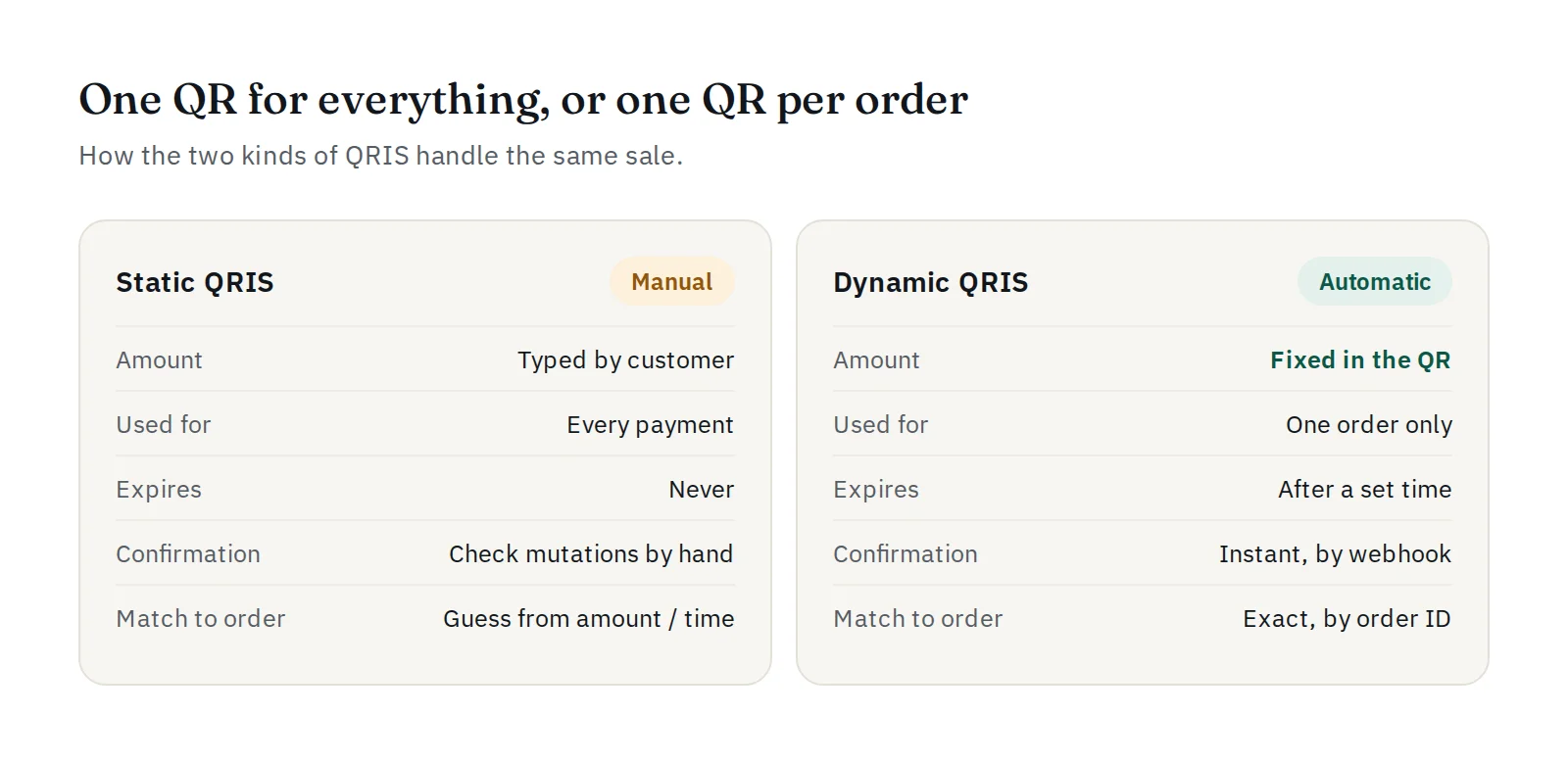
Static QRIS: one code for every payment
A static QRIS is a single code, usually printed on a sticker or a stand at the cashier. It never changes and never expires.
- The customer scans the code.
- The customer types the amount in their app.
- The customer shows the "payment successful" screen, and you check that the money arrived.
Static QRIS is simple and works well for a small shop counter where the seller can see every customer. Its weak points appear online and at volume:
- Wrong amounts. The customer can type too little, by mistake or on purpose.
- No link to the order. Ten customers paying the same amount look identical. You have to guess which payment belongs to which order.
- Manual checking. Someone has to compare payments with orders, which is slow and invites fake "payment successful" screenshots.
Dynamic QRIS: a new code for each order
A dynamic QRIS is created for one transaction. The amount is already inside the code, so the customer only scans and confirms.
- Your website or app asks for a payment, for example through a payment gateway.
- A new QR code is created with the exact amount and a reference to the order.
- The customer scans and pays. The amount cannot be changed.
- The payment is confirmed automatically, and your system is told which order was paid.
The code is valid for a limited time and is used once. If the customer does not pay in time, it expires and a new one can be created.
Side by side
| Static QRIS | Dynamic QRIS | |
|---|---|---|
| Amount | Typed by the customer | Fixed in the code |
| Used for | Every payment | One order |
| Expires | No | Yes, after a set time |
| Confirmation | Checked by hand | Automatic |
| Matching to the order | By guessing | Exact |
| Best for | Small counters, donations | Online shops, apps, invoices, busy stores |
Which one should you use?
- Static is enough if you sell face to face, in small numbers, and can check every payment yourself.
- Dynamic is the better choice as soon as you sell online, receive many payments, or want orders to update without anyone checking.
Many businesses use both: a static sticker at the counter and dynamic QRIS on their website.
Dynamic QRIS with PAYWISE
PAYWISE creates a dynamic QRIS for every transaction. You send the amount and your own order reference through the API or a plugin, and PAYWISE returns the QR code and a hosted payment page. When the customer pays:
- the transaction is marked paid automatically,
- your website receives a signed webhook with your order reference,
- the funds appear in your dashboard, ready for withdrawal.
You can also choose how long each QR stays valid with expires_in. To get started, see how to accept QRIS payments with PAYWISE, or test everything first in the sandbox. For QRIS fees set by Bank Indonesia, read QRIS MDR fees from 1 October 2026.


