

What is a webhook? A plain-English explanation for online businesses
A webhook is a message one system sends to another the moment something happens, like "this order is paid". Here is how webhooks work, why payments use them, and how to handle them safely.
Published 06 October 2026 3 min read

If you accept payments online, sooner or later someone will ask you for a webhook URL. It sounds technical, but the idea is simple.
A webhook in one sentence
A webhook is a message that one system sends automatically to another system the moment something happens.
Think of it like a delivery notification. You don't phone the courier every five minutes to ask "has my parcel arrived?". The courier sends you a message when it arrives. A webhook does the same thing for software.
Polling vs webhooks
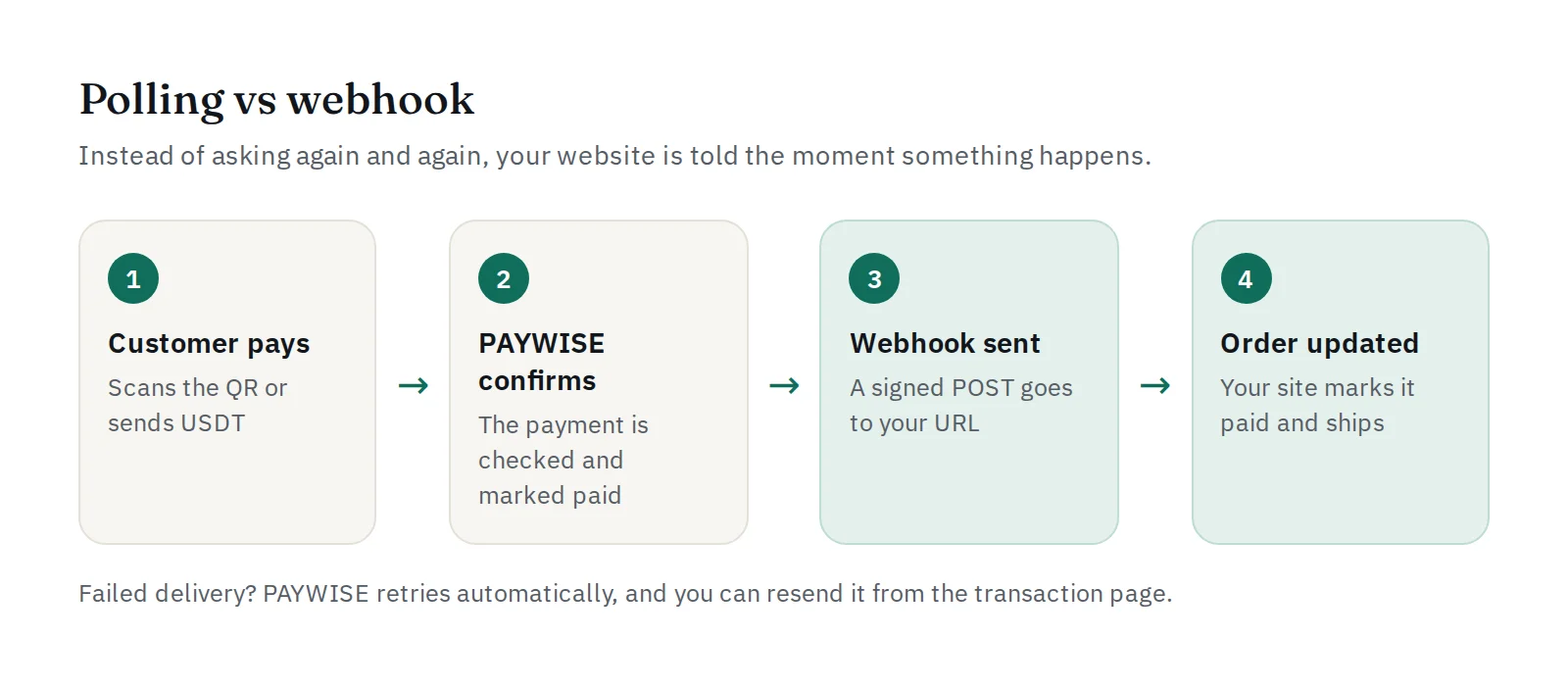
Without webhooks, your website would have to keep asking the payment gateway: "Is order 1042 paid yet? And now? And now?". This is called polling. It is slow, wasteful, and the customer waits longer.
With a webhook, your website simply waits. When the payment is confirmed, the gateway calls your website and says: "Order 1042 is paid."
What a webhook looks like
Technically, a webhook is an HTTPS POST request to an address on your server, for example https://yourshop.com/webhooks/paywise. The body is a small JSON message:
{
  "event": "payment.paid",
  "data": {
    "reference": "TRX-...",
    "merchant_reference": "INV-1042",
    "payment_method": "QRIS",
    "amount": "...",
    "currency": "IDR",
    "status": "paid"
  }
}
Your website reads the message, finds order INV-1042, marks it as paid, and can send the goods or unlock the service straight away.
Why payments depend on webhooks
- Instant order updates. The order is paid the moment the money arrives, even at 3 a.m.
- No manual checking. Nobody has to compare bank mutations with orders.
- Works when the customer leaves. Even if the customer closes the browser after paying, your website still gets the news.
- Fewer fake receipts. Only the gateway can confirm a payment, not a screenshot. See how to stop fake transfer receipts.
How to handle webhooks safely
- Check the signature. Anyone can send a POST request to your URL. PAYWISE signs every webhook with your secret in the
X-PAYWISE-Signatureheader (HMAC-SHA256 of the raw body). Reject anything that doesn't match. Step by step: verifying PAYWISE webhook signatures. - Answer quickly. Reply with a
2xxstatus as soon as you have saved the message, and do slow work (emails, stock updates) afterwards. - Expect repeats. If a delivery fails, it is sent again, so the same event can arrive more than once. Mark the order as paid only once.
- Use HTTPS. Never accept payment notifications on a plain
http://address. - Don't trust only the redirect. The page the customer returns to after paying can be skipped or faked. The webhook is the real confirmation.
Webhooks in PAYWISE
- Set your URL and subscribed events on the Webhooks page, and use the test button to check that your server answers.
- PAYWISE sends events such as
payment.paid,payment.expiredandpayment.failed. - If your server does not answer, PAYWISE retries automatically: after about 1 minute, 5 minutes, 30 minutes and 2 hours.
- Every attempt is listed on the transaction, and you can resend a webhook by hand once your server is fixed.
Not sure whether a webhook arrived? The API logs guide shows where to look. Full details are in the developer docs.


