

Why do online payments fail? 7 common causes and how to fix them
Expired QR codes, wrong amounts, the wrong USDT network, a missed webhook: the most common reasons a customer's payment does not go through, and what you can do about each one.
Published 06 October 2026 4 min read

A customer wants to pay, but the order stays unpaid. Every failed payment is a lost sale and often an annoyed customer. The good news: most failures have a handful of causes, and each one has a simple fix.
1. The QR code expired
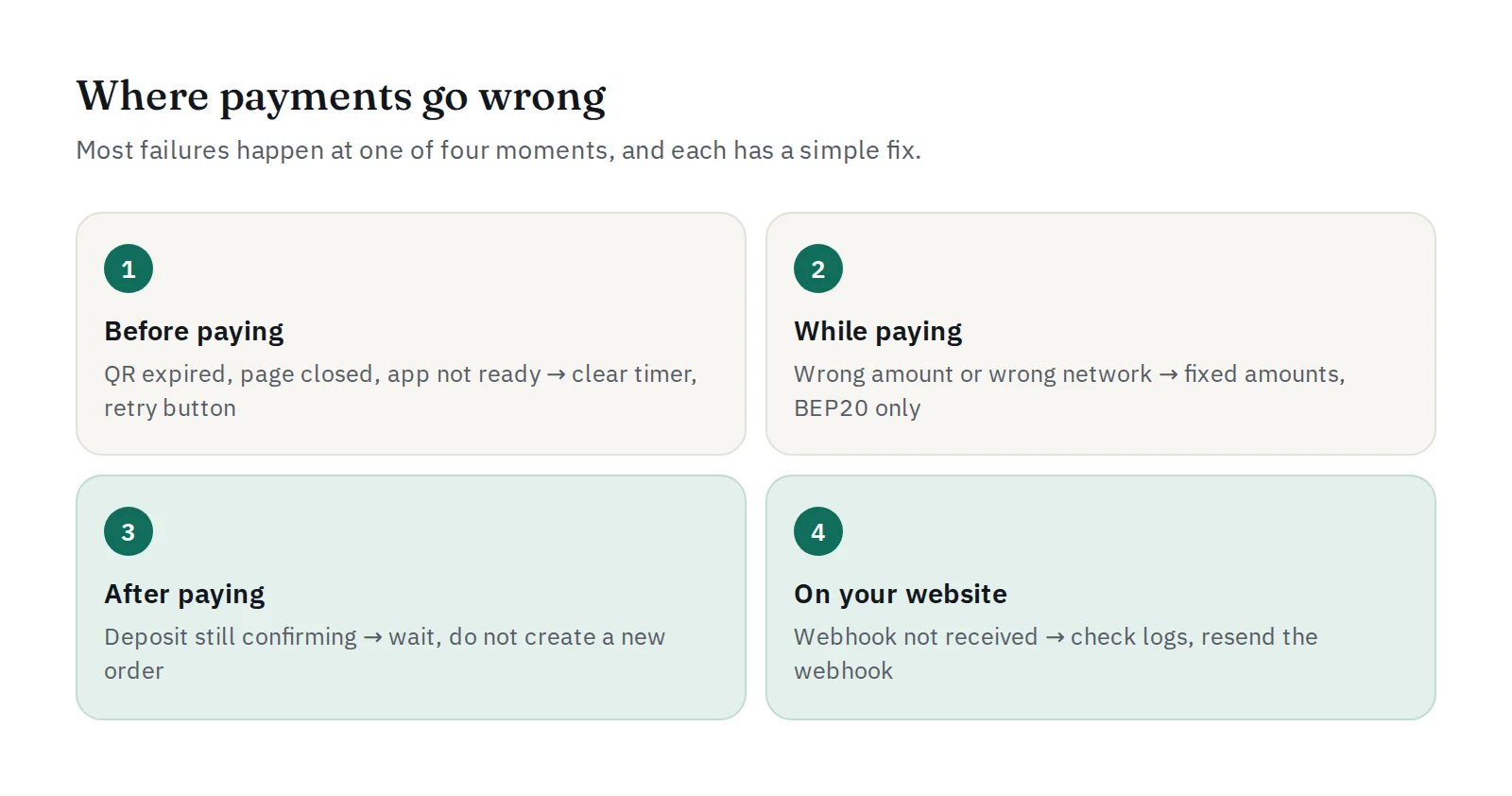
A dynamic QRIS is valid for a limited time. Customers who open the payment page, go to make coffee and come back later find an expired code.
Fix: show a clear countdown, and offer a "create a new code" button instead of making the customer start the order again. With PAYWISE you can choose the validity with expires_in to suit your customers.
2. The customer closed the page or the app was not ready
The customer's banking app needed an update, asked for a new login, or the phone switched apps and the payment page was lost.
Fix: send the payment link by email or chat as well, so the customer can come back to it. Keep the order open until the code expires instead of cancelling it immediately.
3. The wrong amount was paid
With a static QRIS or a manual transfer, customers type the amount themselves and sometimes get it wrong. With USDT, an exchange may deduct its withdrawal fee from the amount, so less arrives than expected.
Fix: use dynamic QRIS, where the amount is fixed in the code (see static vs dynamic QRIS). For USDT, tell customers to send the exact amount shown, after their own fees. At PAYWISE, a USDT payment that arrives short is never marked paid automatically: it is flagged for review so it can be settled with the customer.
4. USDT was sent on the wrong network
USDT exists on several blockchains. PAYWISE accepts USDT on BEP20 (BNB Smart Chain) only. USDT sent on another network does not arrive at the payment address and may be impossible to recover.
Fix: say "BEP20 only" clearly next to the address, and show the QR code from the payment page. Beginners can read what are USDT and BEP20.
5. The customer had no BNB for the network fee
Sending USDT on BEP20 from a personal wallet needs a small amount of BNB to pay the network fee. Without it, the transfer cannot be sent at all.
Fix: mention it on your payment page. Customers sending from an exchange account usually don't need BNB, because the exchange pays the fee.
6. The payment is still confirming
A blockchain payment takes a little time to confirm. Customers who see "pending" sometimes pay again or create a new order.
Fix: tell customers the payment is being confirmed and they don't need to pay twice. PAYWISE keeps a USDT transaction open while the deposit is on its way, instead of expiring it.
7. The money arrived, but the order was not updated
The customer paid, PAYWISE marked it paid, but your website still shows "unpaid". This is almost always a webhook problem: a wrong URL, a firewall, an expired SSL certificate, or a signature check that fails.
Fix: open the transaction in your dashboard to see every webhook attempt and the answer your server gave. PAYWISE retries automatically, and you can resend the webhook once the problem is fixed. New to webhooks? Read what is a webhook and reading PAYWISE API logs.
A quick checklist
| Check | Why it helps |
|---|---|
| Dynamic QRIS with a fixed amount | No wrong amounts, exact order matching |
| Countdown and "new code" button | Fewer expired payments |
| "BEP20 only" next to the USDT address | No lost USDT on other networks |
Signed webhooks that answer 2xx quickly |
Orders update the moment money arrives |
| A look at failed and expired payments every week | Spot a pattern before it costs more sales |
PAYWISE's risk signals help with the last point: they highlight rising failure rates and webhook errors before customers start to complain.


