

9 checkout tips to turn more orders into paid orders
Many customers reach the payment step and still do not pay. These nine small changes to your checkout help more QRIS and USDT orders end up paid.
Published 07 October 2026 3 min read

A customer who reaches your payment step has already decided to buy. If they still leave without paying, the problem is usually not the product but the checkout: something was unclear, slow or worrying. Here are nine practical fixes.
1. Show the final total early
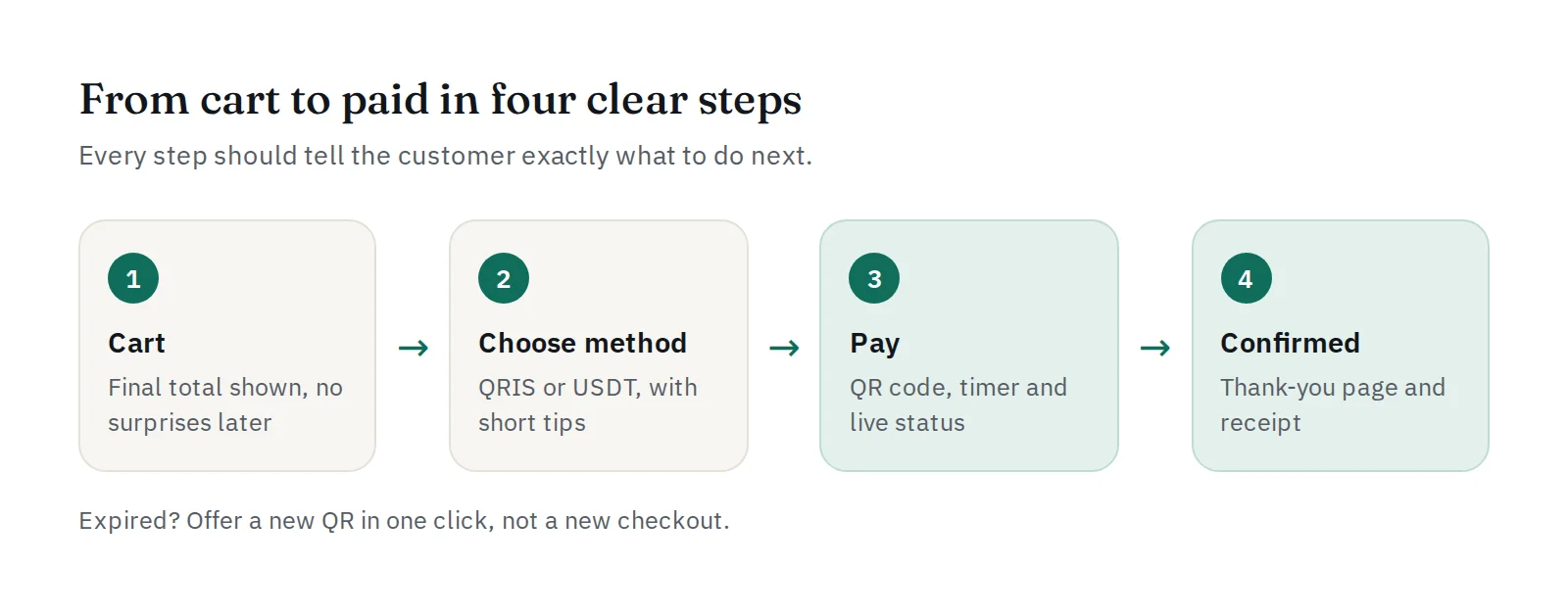
Surprise costs at the last step are one of the most common reasons people give up. Show shipping, fees and the final amount before the customer chooses how to pay, and keep that amount the same on the payment screen.
2. Offer the methods your customers already use
In Indonesia, almost every banking and e-wallet app can pay QRIS, so it suits most local customers. USDT on BEP20 suits international and crypto-native customers. Offering both lets each customer pay the way they know. See QRIS vs bank transfer vs virtual account for how QRIS compares.
3. Use one QR per order
A dynamic QRIS has the exact amount built in and is linked to the order, so the customer cannot type a wrong amount and you never have to match payments by hand. Read static vs dynamic QRIS.
4. Help customers who are on their phone
Many people shop on the same phone they pay with, so they cannot scan the screen. Tell them to save the QR code and open it from their banking app's QRIS scanner. The PAYWISE payment page shows a Save QR code button and this tip.
5. Show a clear timer
A countdown tells the customer how long they have and avoids paying a QR that has just expired. Pick a validity that fits your customers with expires_in: long enough to open a banking app, short enough to keep orders moving.
6. Update the status by itself
After paying, customers want to see "Paid" without refreshing. A status that updates automatically stops anxious customers from paying twice or sending you screenshots. The PAYWISE payment page checks by itself and can send the customer back to your website when the payment is received.
7. Make retrying easy
If a QR expires, do not send the customer back to an empty cart. Keep the order and let them create a new payment in one click. If they had already paid, do not let them pay again: a late payment is still confirmed.
8. Build trust on the payment page
Show your business name and logo, the order ID and the amount. A page that clearly belongs to your shop feels safer than an unknown one. You can preview the PAYWISE payment page with your name and logo from the dashboard before customers see it.
9. Confirm the order on the webhook
Mark orders as paid when your server receives the signed payment.paid webhook, not when the customer returns to your website or sends a screenshot. Then send the confirmation email and the thank-you page straight away. Read what is a webhook? and how to prevent fake transfer receipts.
Measure, then improve
Check how many payments end paid, expired or failed. A high share of expired payments often means the timer is too short or the payment step is confusing. Our guide on why online payments fail lists the most common causes and fixes.
Ready to build it? Start with how to accept payments on your website, or use our WooCommerce plugin.


